Connection Details & History
Last updated: December 23, 2025
To see the details of a specific connection, navigate to the Connections page and click into a connection. Here you find details about the connection including job and session history.
For more information about the Connection page please see 📄 Create & View Your Connections
Connection Overview
Under the Overview tab, you'll find a series of cards with all the details for the connection.
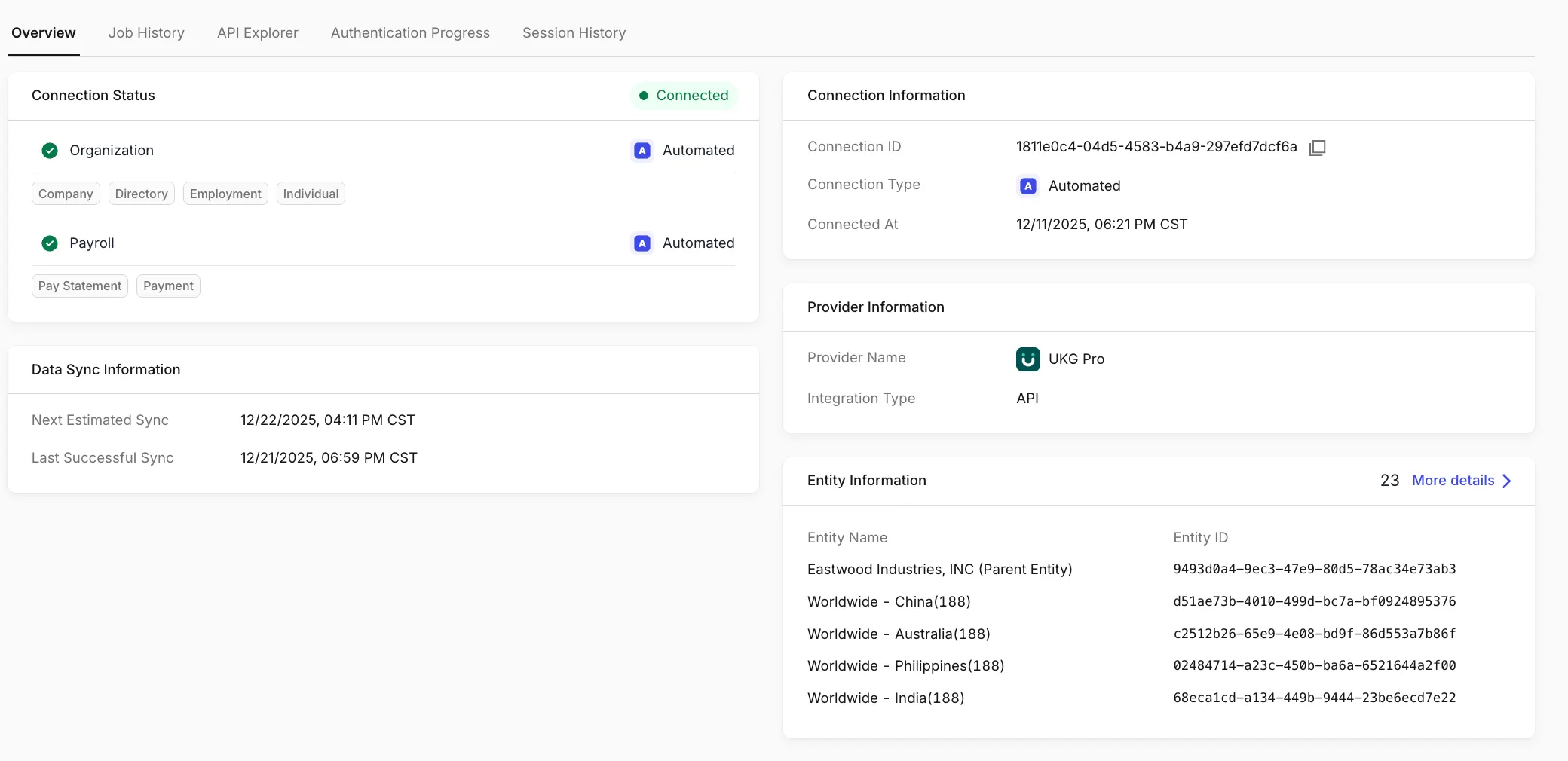
Connection status
Products and scopes enabled
Integration type (Automated or Assisted)
Data sync information
The timestamp of the last successful data sync
When the next sync is estimated to run
Connection information
Connection ID
Connection type
Connection creation date
Provider information
Provider name
Auth Method (Integration Type)
Entity information
Entity name
Entity ID
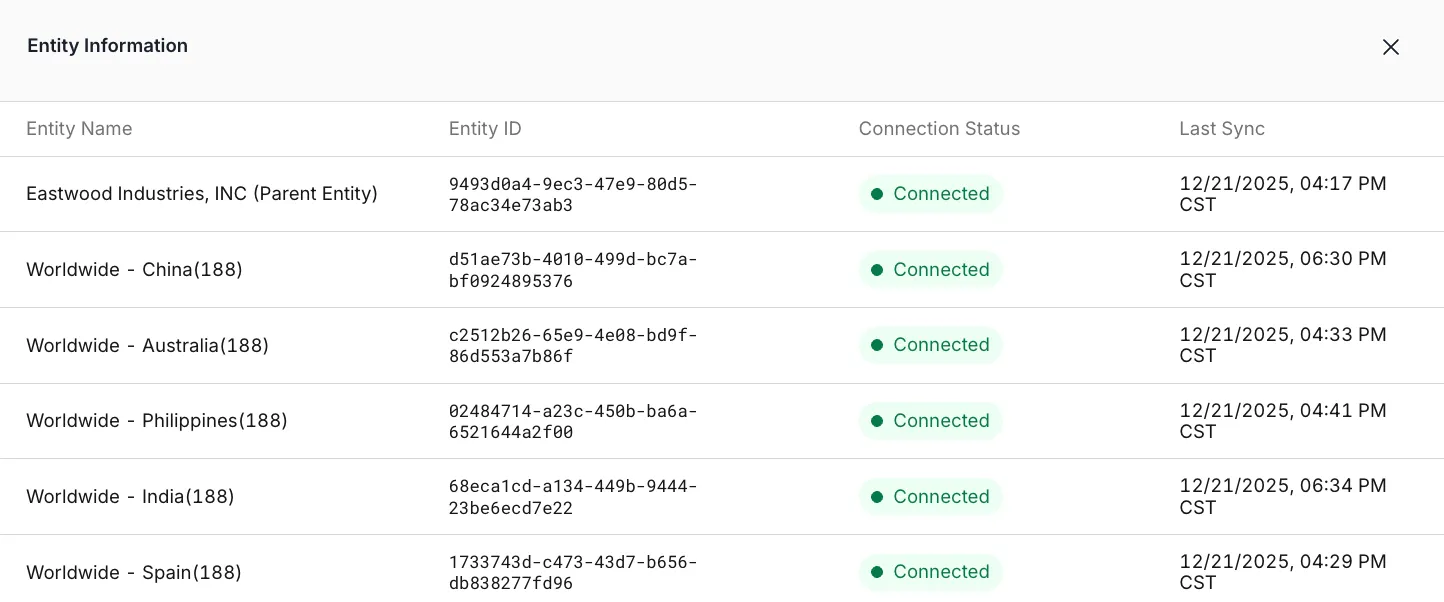
Click More Details for more details about each entity in the Connection, including:
The connection status for each entity
The most recent data sync time per entity
Please note each entity runs data syncs independently, so:
Entities within the same connection may have different statuses
Syncs may complete at different times
Job History
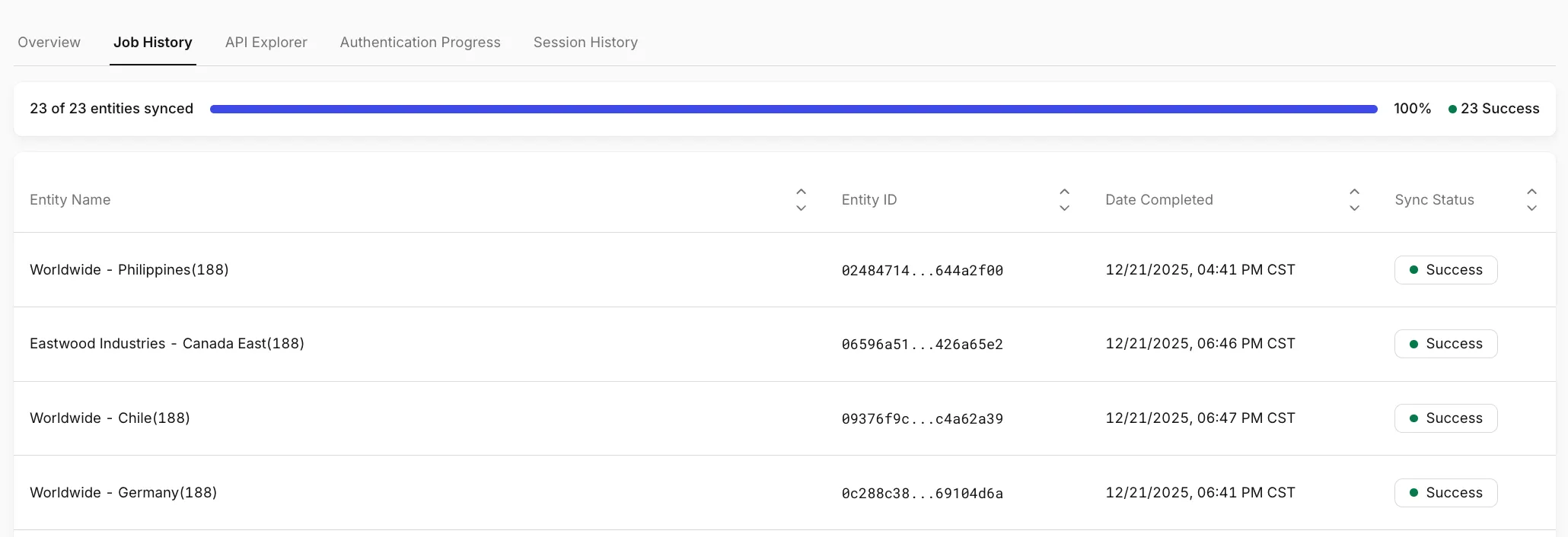
The Job History tab provides a detailed view of all scheduled data syncs, including the job type (e.g. data sync, enroll benefits), completion time, and job status (e.g. pending, success, error). If you encounter an error or have questions, providing our support team with the Job ID will help them investigate and the issue.
If the connection has multiple entities, you'll see the following page. At the top of the page, a progress bar shows:
How many entities have successfully synced within the last ~24 hours
Overall completion status across all entities in the connection
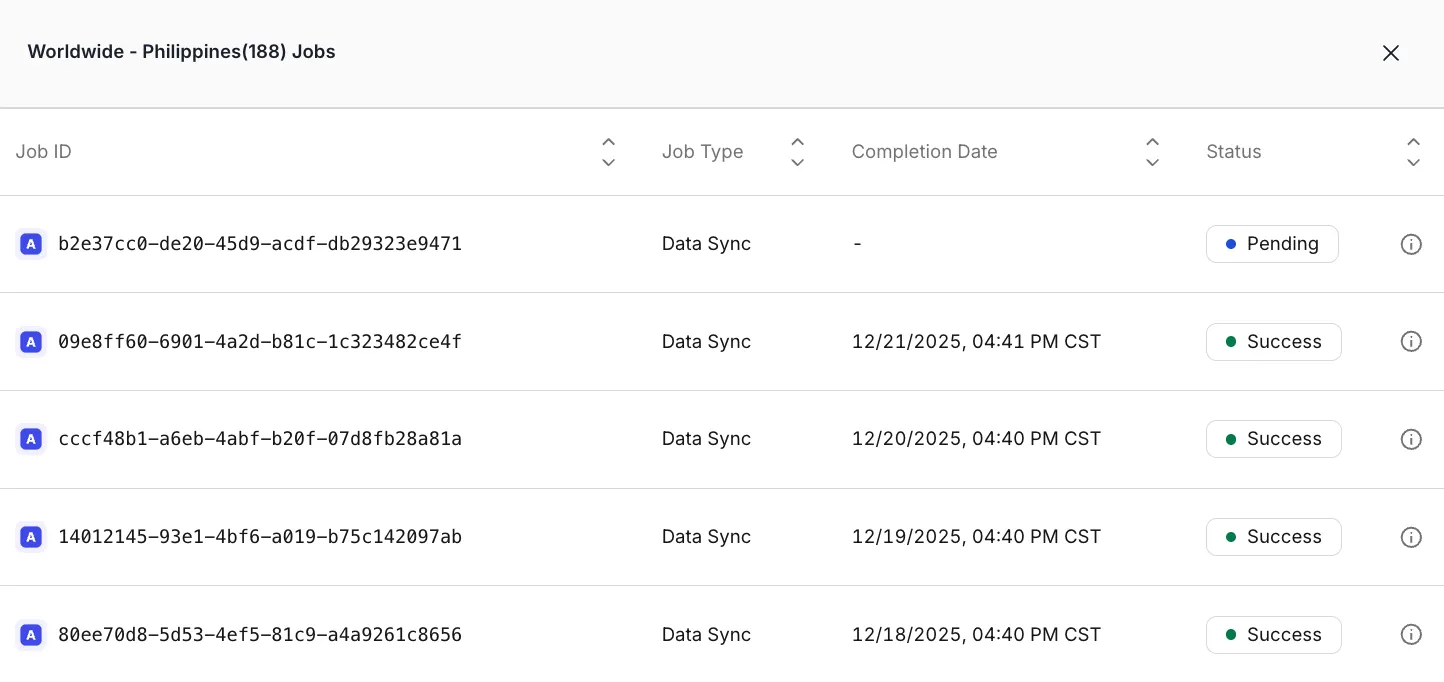
Clicking on an entity opens a drawer showing:
The last 10 data sync jobs for that entity
Each job’s status and completion time
This makes it easier to troubleshoot issues that may affect only a specific entity.
Session History
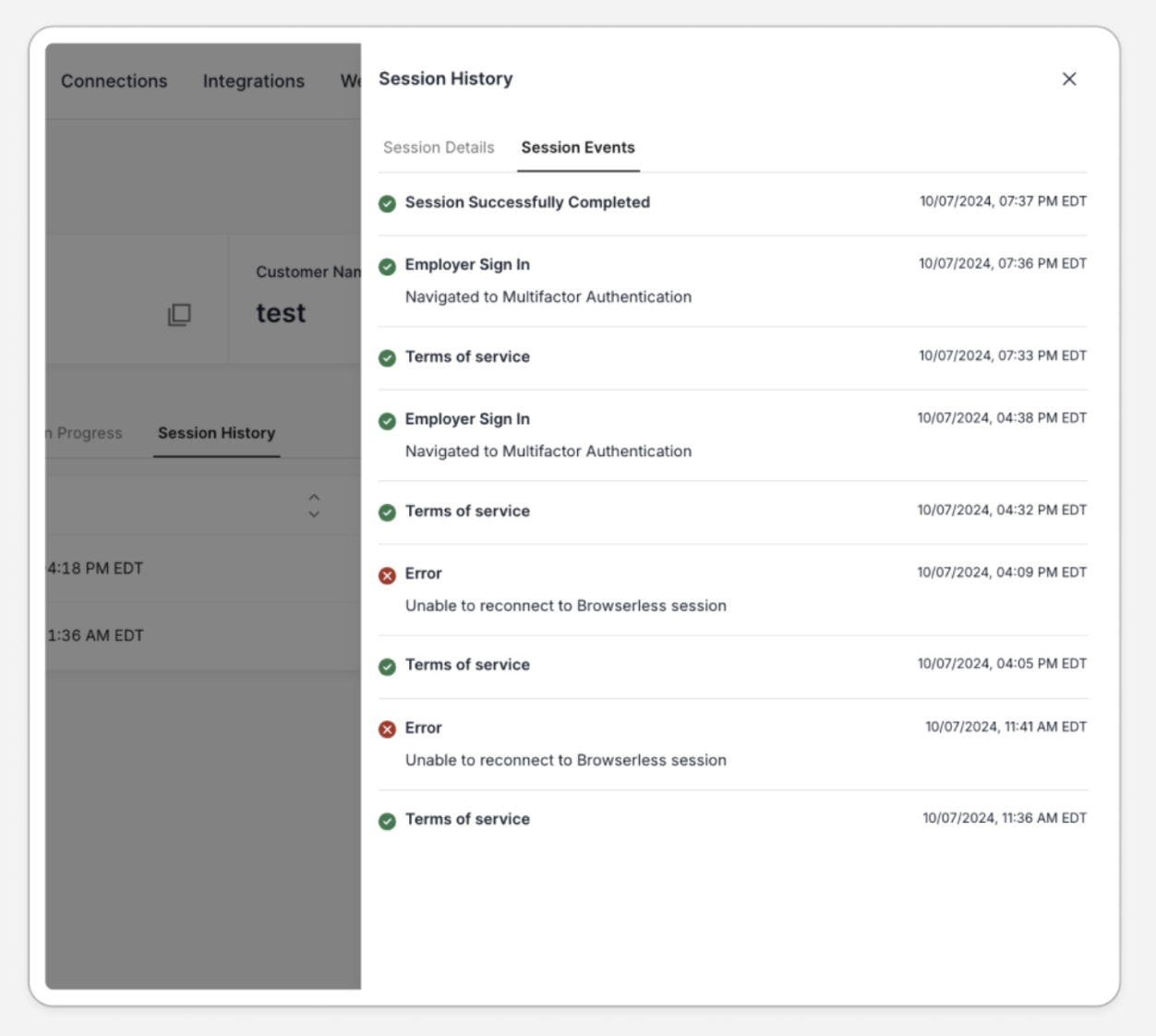
For a detailed timeline of events related to each session, you can use the Session History tab.
Session History can be especially helpful for understanding when or why an employer dropped off during authentication.
For example, while the 📄 Authentication Progressview may show you the employer dropped off at the Terms of Service Stage, the Session History may show you that the user opened the session and exited the Terms of Service page six times before progressing to the next stage. This could indicate the employer has questions about the terms of service.
Auth Progress & API Explorer
You can find more details about the other tabs under the Connection detail page below.