UKG Pro - Add an administrator
Last updated: November 19, 2025
Overview
Before you begin, make sure you are using the UKG Pro product with the benefits scope. For UKG Ready users, see the instructions HERE.
To connect your UKG Pro account to this application you must set up a new admin user. Please follow the instructions below.
Step-by-Step Instructions
1. Log in to UKG
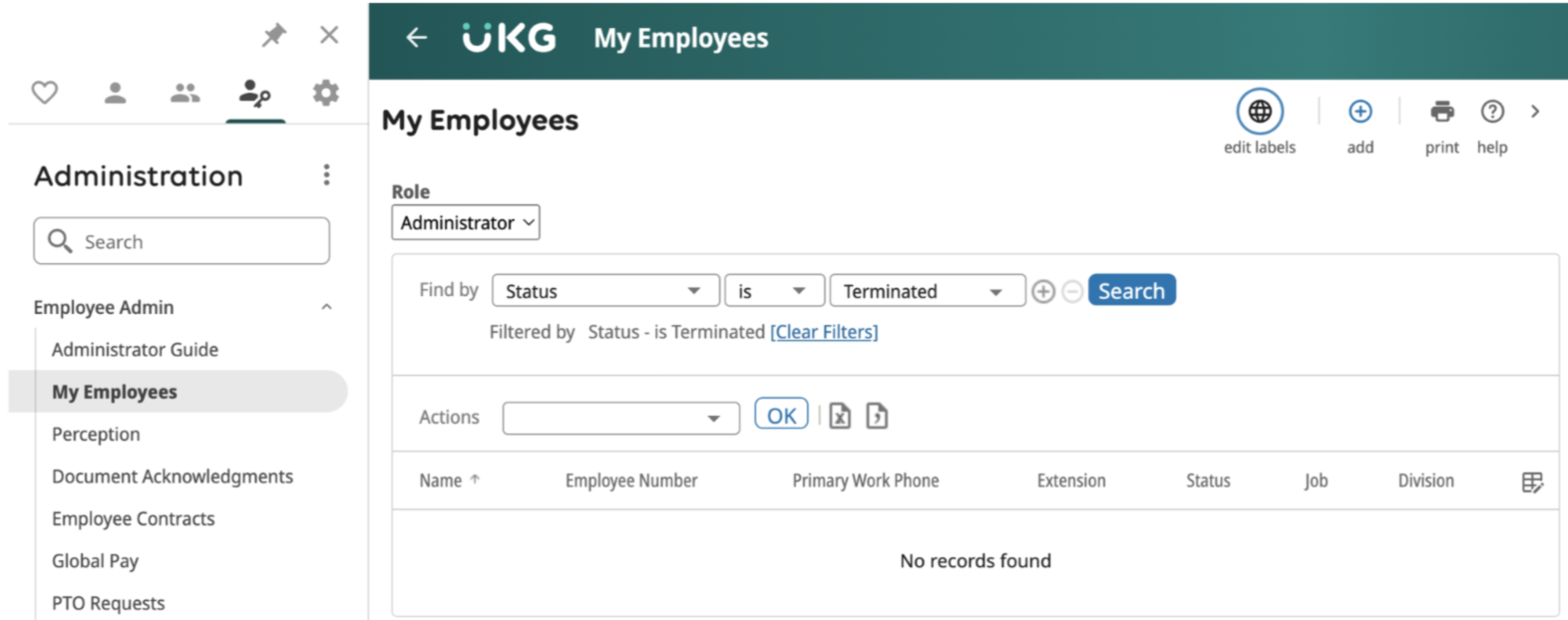
2. Navigate to the Administration tab
3. Click on Employee Admin > My Employees
4. Click on the + icon to add a new employee - a new window will open
5. Complete the required fields in the sections below. To navigate to the next section once all required information is completed, click Next →
Start
First Name: (Please use the First Name provided in Finch Connect)
Last Name: Admin
SSN: 123456789
Personal
Address: 2412 Harrison Street, San Francisco, CA 94110
Email: (Please use the email provided in Finch Connect)
Ethnic Origin: Not specified
I-9 verification: No
DOB: 11/11/1990
Gender: Male
Marital Status: None
Dates
Original Hire Date: Date of creation
Jobs/Payroll
Job: BENADM - Benefits Administrator
Location: SANF - San Francisco, CA
Pay Rate: $0 per Hour
Pay Group: CORPBI - Corporate Bi-weekly
Scheduled Hours: 0
Earnings Group: Admin Earnings Group
Deduction/Benefit Group: Administrative
Employee Type: CON - Contractor/Consultant
Hourly/Salaried: Hourly
Full/Part-Time: Full-Time
Workforce
Employee Access: Yes
If other options are unable to be selected, you can edit these after creation by going to the Employee Profile within the Workforce Management page.
Time off and Allowances
Security Roles: Admin
Direct Deposit
Leave blank
Federal Income Tax
Filing Status: Single/Married filing Separately
State Taxes
State Taxes: Single/Married 2 or More Incomes
Select the correct State Plan: Personal Income Tax Only
Disability Plan Type: Elective
Filing Status: Single
Local Taxes - N/A
PTO/Leave Balances
Leave blank
Summary
Click the Save icon located on the top right
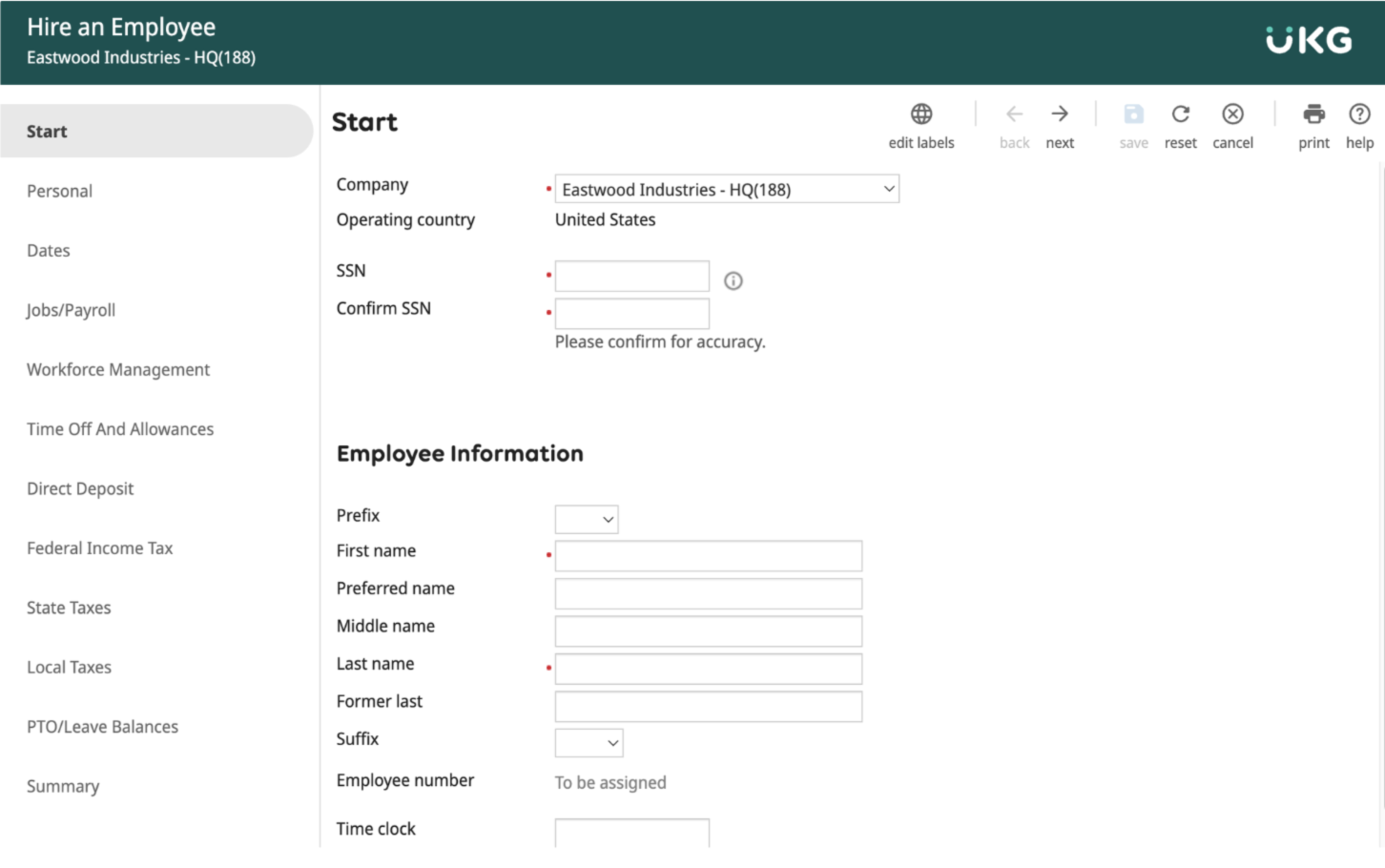
6. Admin has been successfully added to the system.
7. Send an email to payroll@tryfinch.com with all of the following items:
Subject: New Connection - UKG PRO - [COMPANY NAME]
Username
Password
Company Name
Login URL