Understanding Entities and Source IDs
Last updated: August 10, 2026
Overview
As part of the multi-entity authentication improvements, Finch now returns an entities array in the /introspect endpoint.
Each entity in this array represents a distinct grouping of employees within an employer’s payroll or HR system. The array includes the following fields:
Field | Description |
entity_id | A Finch-generated unique identifier for the entity. |
name | The name of the entity, if available in the provider system. |
source_id | The identifier used by the payroll system to represent the entity. |
How Source IDs Are Determined
The source_id corresponds to the identifier used by the payroll provider to distinguish one entity from another under a single employer account.
When an employer logs into their payroll provider, they typically land on a homepage associated with their overall account. If that account manages multiple entities (for example, multiple EINs, company codes, or divisions), the employer can usually toggle or click into each of those entities.
Finch captures the identifier associated with the specific entity the employer can select within their account as the source_id.
Because each payroll system organizes entities differently, the exact value used for source_id will vary by provider. For example, one system might use a Company Code, while another might use a Client ID.
This document outlines the specific source identifier used for each supported provider. Because the specific mappings vary by provider, this will be rolled out on a provider-by-provider basis as mappings are completed. Until then, the source_id field may temporarily return null for providers that have not yet been mapped.
Provider-Specific Source ID Mappings
ADP Run
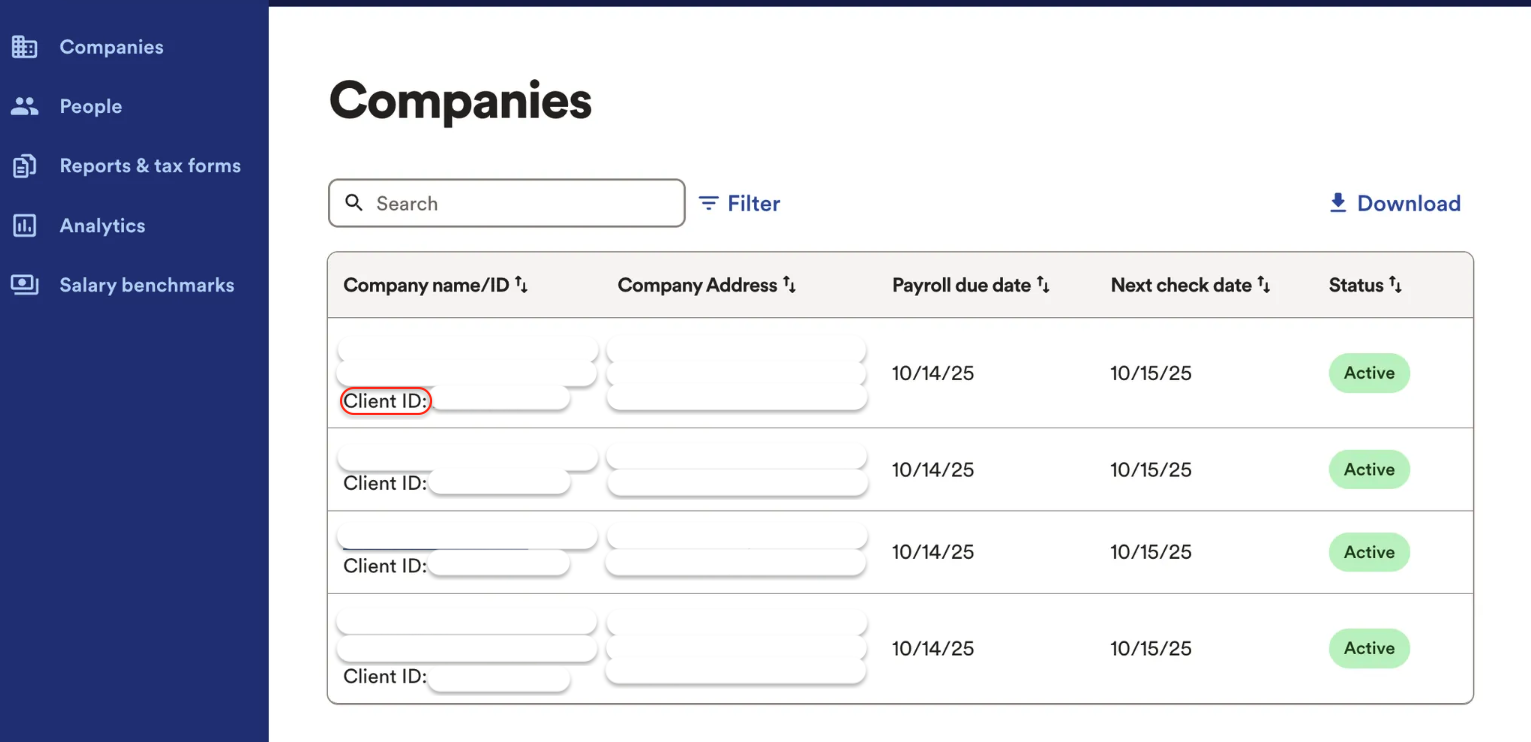
Source ID type: Client ID
Where it appears: After logging into a multi-company ADP Run account, an employer will land on a page that lists all entities included in the account. Each entity is assigned a unique Client ID.
ADP Workforce Now
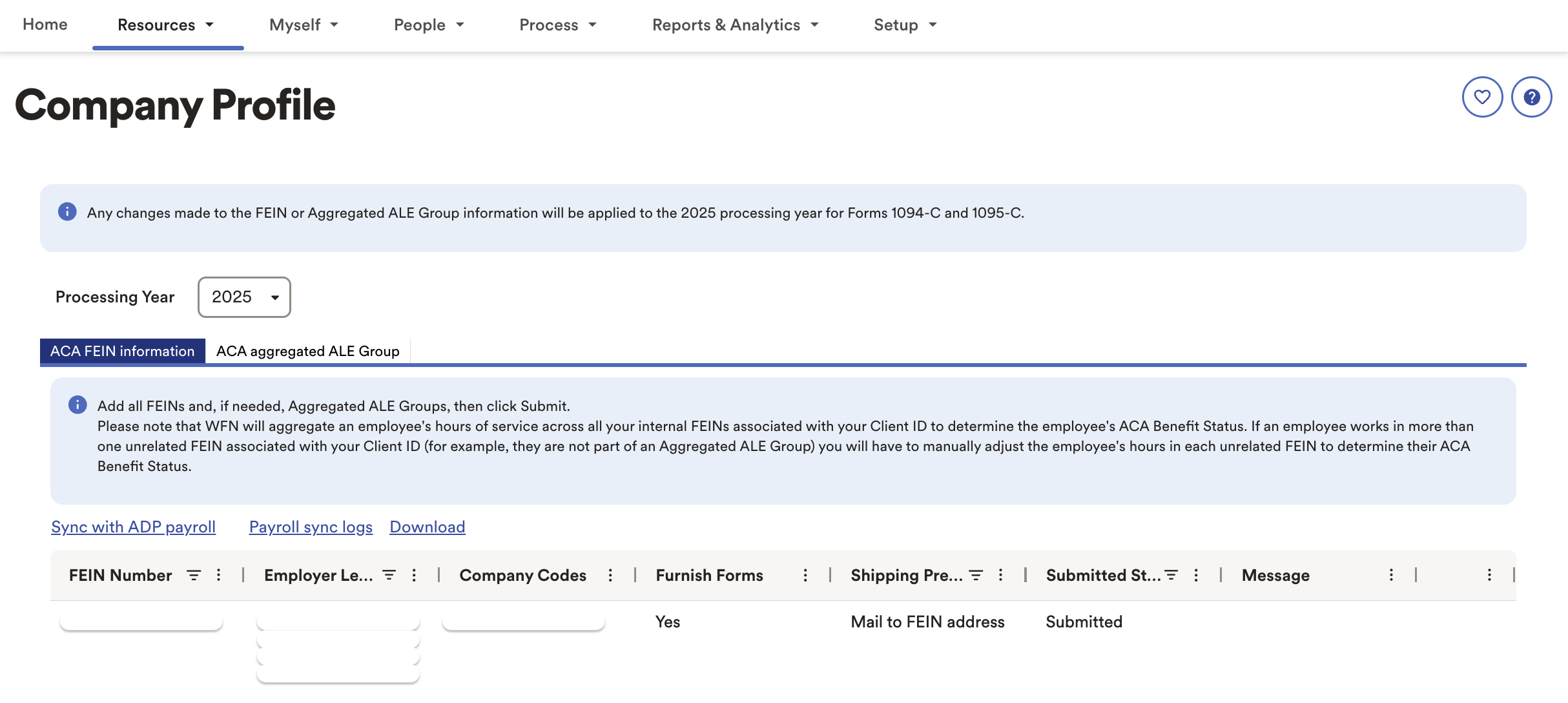
Source ID type: Company code
Where it appears: There are a couple of ways to locate a list of company codes in ADP Workforce Now
Log into ADP WFN > Resources > Company Profile > Company Codes
Log into ADP WFN > People > Personal Profile > Click on "Search for people" > Click on "Apply more filters" > Company Code
Ceridian Dayforce
Source ID type: Reference Code
Where it appears: After logging into Ceridian Dayforce, enter "Legal Entity" in the search bar and click enter.
Paychex Flex
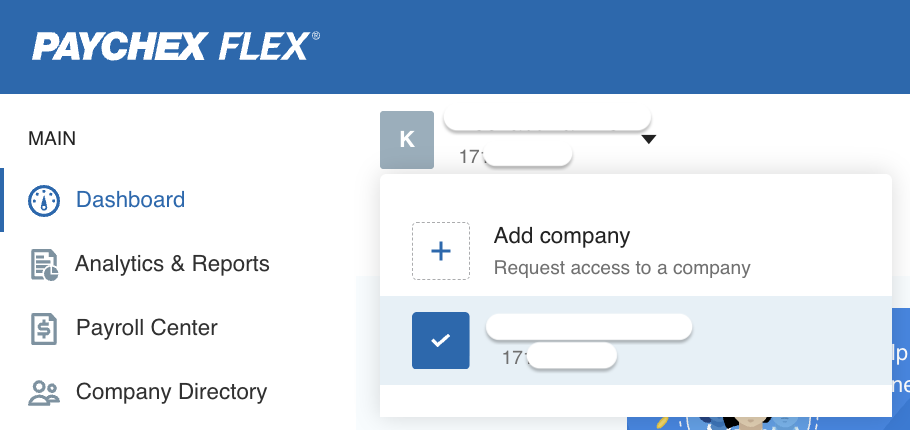
Source ID type: Company ID
Where it appears: After logging into Paychex, an employer will land on a homepage with a dropdown menu that lists all entities within the account. Each entity is assigned a unique ID.
Paycom
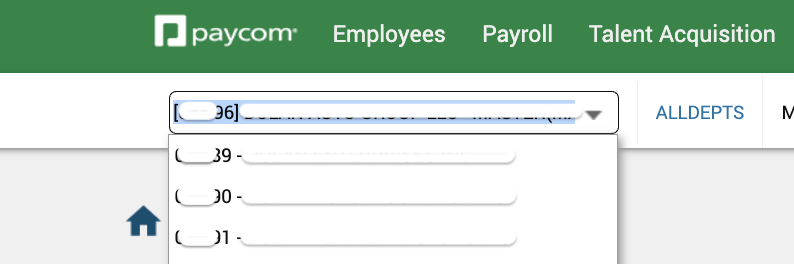
Source ID type: Client Code
Where it appears: After logging into Paycom, an employer can navigate to Payroll > click on Process Payroll to find a dropdown that lists all entities within the account. Each entity is assigned a unique ID.
Paycor
Source ID type: Client ID
Where it appears: After logging into Paycor, an employer will find a dropdown that lists all entities within the account under their profile image. Each entity is assigned a unique ID.
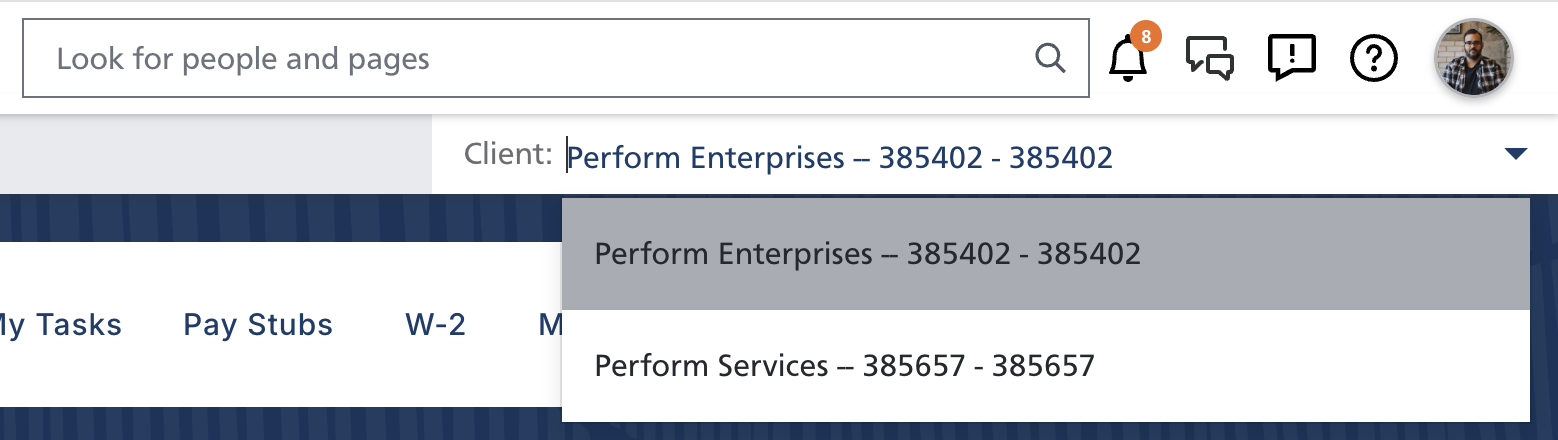
Paylocity
Source ID type: Company ID
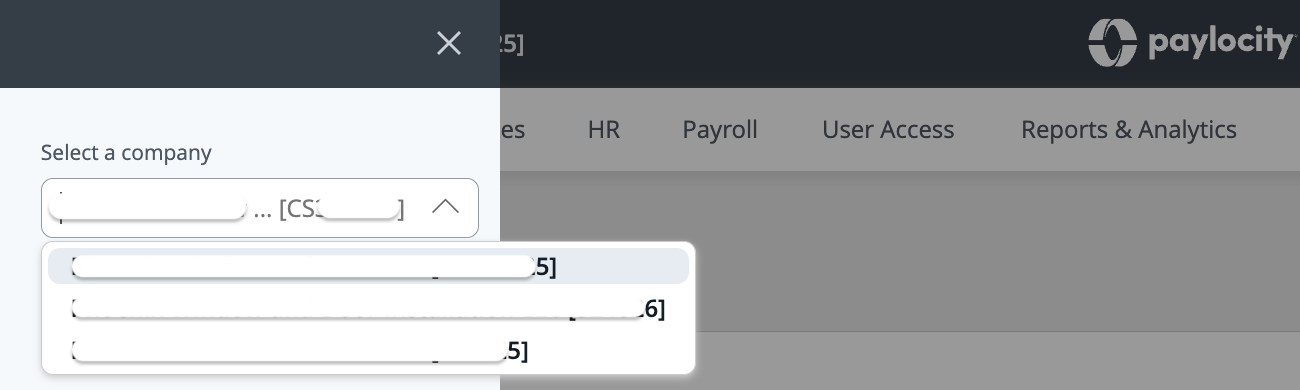
Where it appears: After logging into Paylocity, an employer can navigate to the lefthand menu bar to find a dropdown that lists all entities within the account. Each entity is assigned a unique ID.
UKG Pro
Source ID type: Company ID
Where it appears: This is pulled directly from the
companyIdfield in theGET /configuration/v1/company-detailsendpoint in UKG's API.
UKG Ready
Source ID type: System ID
Where it appears: This is pulled directly from the
systemIdfield in theGET /ta/rest/v1/report/global/REPORT_COMPANY_EINSendpoint in UKG's API.
Workday
Source ID type: Company Reference ID
Where it appears: This is pulled directly from the
Company_Reference_IDfield in theFinancial_Management.Get_Workday_Companiesendpoint in Workday's API.