How to Combine Multiple Finch Files for one Plan Sponsor
Last updated: December 9, 2025
If your plan sponsor has multiple entities for the payroll provider, they may have created a multi-entity connection with Finch. For each entity, there will be one file pushed to PensionPro. If multiple entities share an EIN, the files will all be named the same.
These directions show you how to combine those files into one file for your census report.
If you have any problems with combining and uploading the files in PensionPro, please reach out to your PensionPro contact. They are very helpful and can walk you through the process.
On your PensionPro dashboard, download the multiple files.
Combine the files into one csv file.
Check that the display names for the columns in your project match the column names in the combined file. They must match in order to upload this file using the next steps.
Go to the Project for the plan sponsor, Views, Data Collection, Employees.
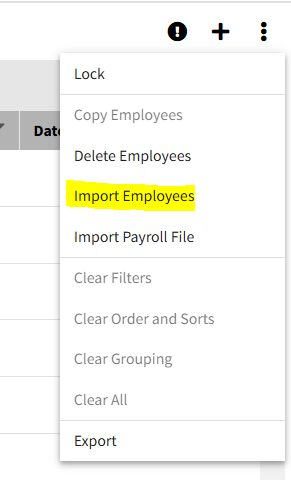
Use the Import Employees from within the Project's Employee Screen (instead of the Import Payroll File).