W-2 Data in PensionPro
Last updated: February 23, 2026
Finch automatically collects comprehensive W-2 compensation data from the employer's payroll system to ensure PensionPro receives complete information for annual plan testing and compliance reporting.
What W-2 Data Does Finch Collect?
Finch collects the following W-2 boxes required for retirement plan administration:
Box 1: Wages, tips, and other compensation
Box 3: Social Security wages
Box 12: Retirement plan deferrals and contributions (up to 4 entries - 12a-d)
Box 12 includes critical retirement data such as:
401(k) elective deferrals (Code D)
403(b) elective deferrals (Code E)
457(b) elective deferrals (Code G)
Roth 401(k) contributions (Code AA)
Roth 403(b) contributions (Code BB)
When is W-2 Data Collected?
W-2 data is collected in February after the employer's payroll system has finalized W-2 forms for the tax year. Finch retrieves this information directly from the payroll provider and includes it in files sent to PensionPro.
Finch triggers this process automatically in February - you don't need to manually provide W-2 information to Finch.
Which Payroll Systems are Supported?
Currently, W-2 data is supported for the following providers, with more providers being added:
ADP Run
ADP Workforce Now
Quickbooks
Paychex Flex
Paycom
Paylocity
UKG Ready
Dayforce (Ceridian)
Patriot
Payroll Office of America (SAAS HR)
How is W-2 Data Mapped to PensionPro Files?
When W-2 data is available, it will be mapped to specific columns in the file:
W-2 Box | W-2 Description | PensionPro Column |
Box 1 | Wages, tips, other compensation | Compensation |
Box 3 | Social Security wages | Box 3 Compensation |
Box 12 (code D, E, or G) | Pre-tax 401(k), 403(b), or 457(b) deferrals | Pre-Tax Salary Deferral |
Box 12 (code AA or BB) | Roth 401(k) or 403(b) contributions | Roth Salary Deferral |
Before W-2 information is available, or for providers where W-2 is not currently supported, Finch will fall back to payroll mapping to determine the value that gets populated:
Before February (no W-2 data available):
Compensation column uses the payroll compensation mapping
Pre-Tax Salary Deferral column uses payroll deduction data mapped to 401(k) or other pre-tax deferrals
Roth Salary Deferral column uses payroll deduction data mapped to Roth contributions
Box 3 Compensation column remains empty (only populated by W-2 data)
Once W-2 is available, any files generated will use the following mappings instead of the data indicated above (before W-2 data is available):
Compensation column is Box 1 W-2 data, replacing the payroll-based compensation value
Pre-Tax Salary Deferral column is Box 12 codes D, E, or G from W-2 data, replacing payroll deduction amounts
Roth Salary Deferral column is Box 12 codes AA or BB from W-2 data, replacing payroll deduction amounts
Box 3 Compensation column is populated with Box 3 W-2 data
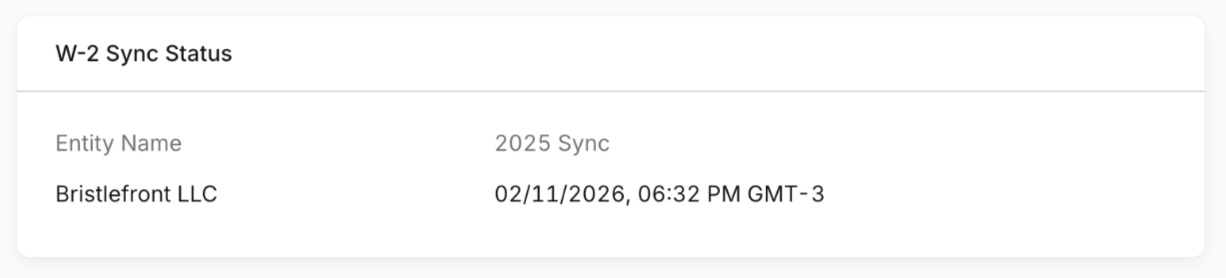
The Finch Dashboard will display when the W-2 data is synced for each connection in the Overview tab.