TriNet - Request API keys
Last updated: February 3, 2026
Connecting to Obtain API Credentials for Integrations
To Obtain API Credentials, an Integration Administrator role holder should complete the following steps.
Note: Generating API credentials does not enable the integration with the third party, and you must complete the setup using instructions provided by the third-party platform.
Instructions
Sign in to TriNet (https://identity.trinet.com).
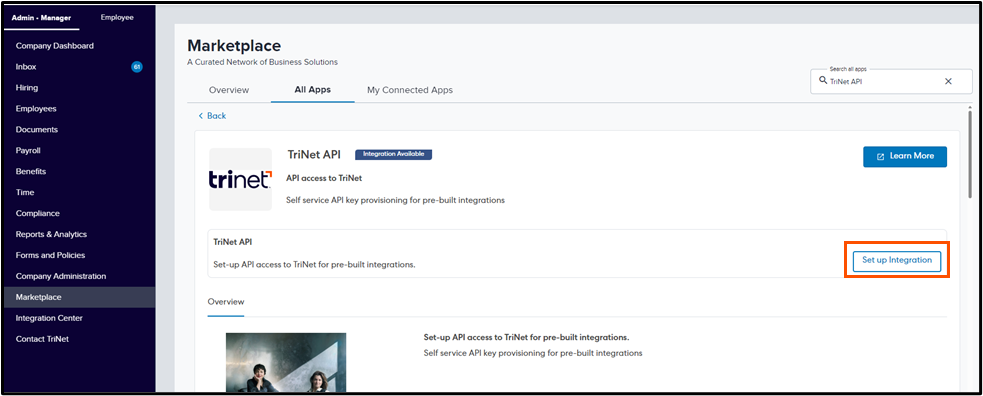
Follow the navigation path to access the TriNet API tile within the TriNet Marketplace: Admin• Manager > Marketplace
Search "TriNet API" in the Search All Apps search bar
Click on All Apps
Click Set up Integration
Navigate to the Select an Integration dropdown menu and choose the company you are connecting with
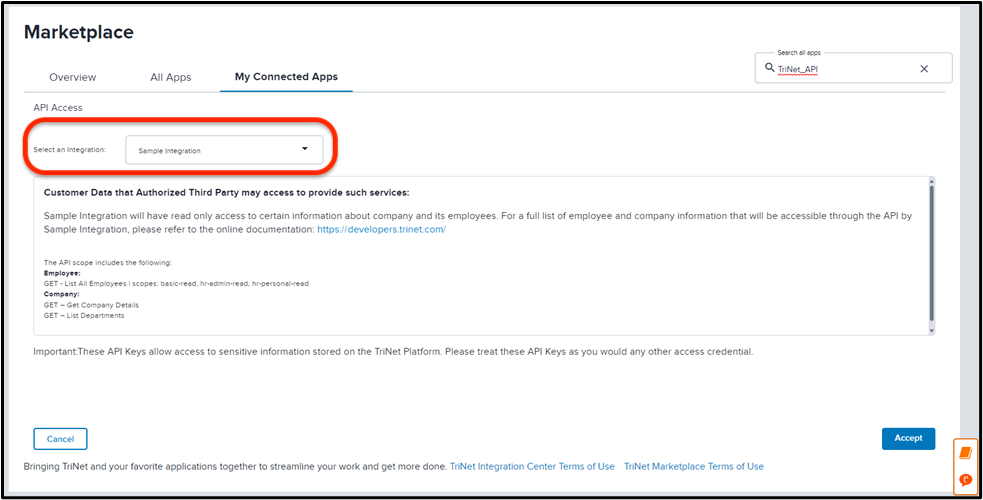
Review the level of access being granted to the API key and click Accept
This will generate a Company ID, Client ID and Client Secret
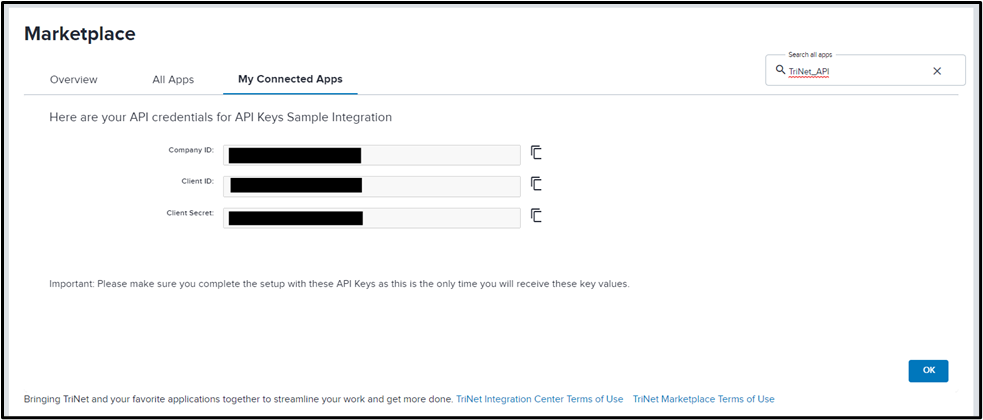
Copy these values into Finch Connect
Important Note: Do not navigate from this screen until the credentials are entered into Finch Connect or securely saved in a local location as they cannot be accessed again
Click OK
Disconnecting from the Marketplace
Note: Access can be revoked at any time.
To disconnect API credentials from the Marketplace:
Navigate to My Connected Apps (identity.trinet.com > Admin • Manger > Marketplace > My Connected Apps)
Click Disconnect
Note: A new key and secret can be generated by disconnecting and following the steps in the Connecting to Obtain API Credentials for Integrations section above.