TriNet HR Platform (fka Zenefits) - Request API keys
Last updated: July 23, 2025
Before you start
Please ensure you have Administrator privileges in TriNet HR (fka Zenefits) before proceeding with the instructions below.
Instructions
1. Log in to TriNet HR Platform
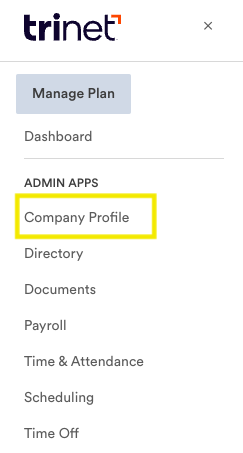
2. In the menu at the top left, select Company Profile
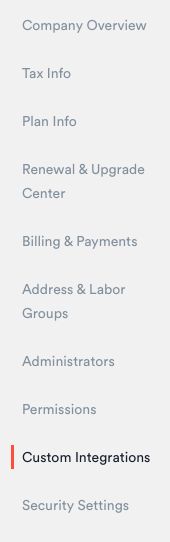
3. Click Custom Integrations
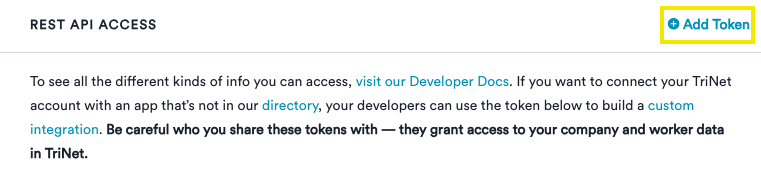
4. Under Rest API Access, press Add Token
5. Copy and save your token value
6. Under permissions click Select All (or scopes relevant to the
information you will be sharing)
7. Save the token
8. Navigate back to Finch Connect
9. At the bottom of the modal, select Enter an API token instead
10. Paste the API Token you just created in TriNet HR (fka Zenefits), check off I've read and completed the instructions, and click Connect
For more information, while logged into your TriNet HR account, see the TriNet HR Platform documentation.