Paychex Flex - Request API Keys
Last updated: July 23, 2025
Before you start
To connect your Paychex Flex account, you must create an API token. Please ensure you are a Paychex Flex administrator with the ability to access Company Settings > Integrated Apps.
Instructions
Step 1: Create an API token
- Log into Paychex Flex
- Open the lefthand menu and select Company Settings
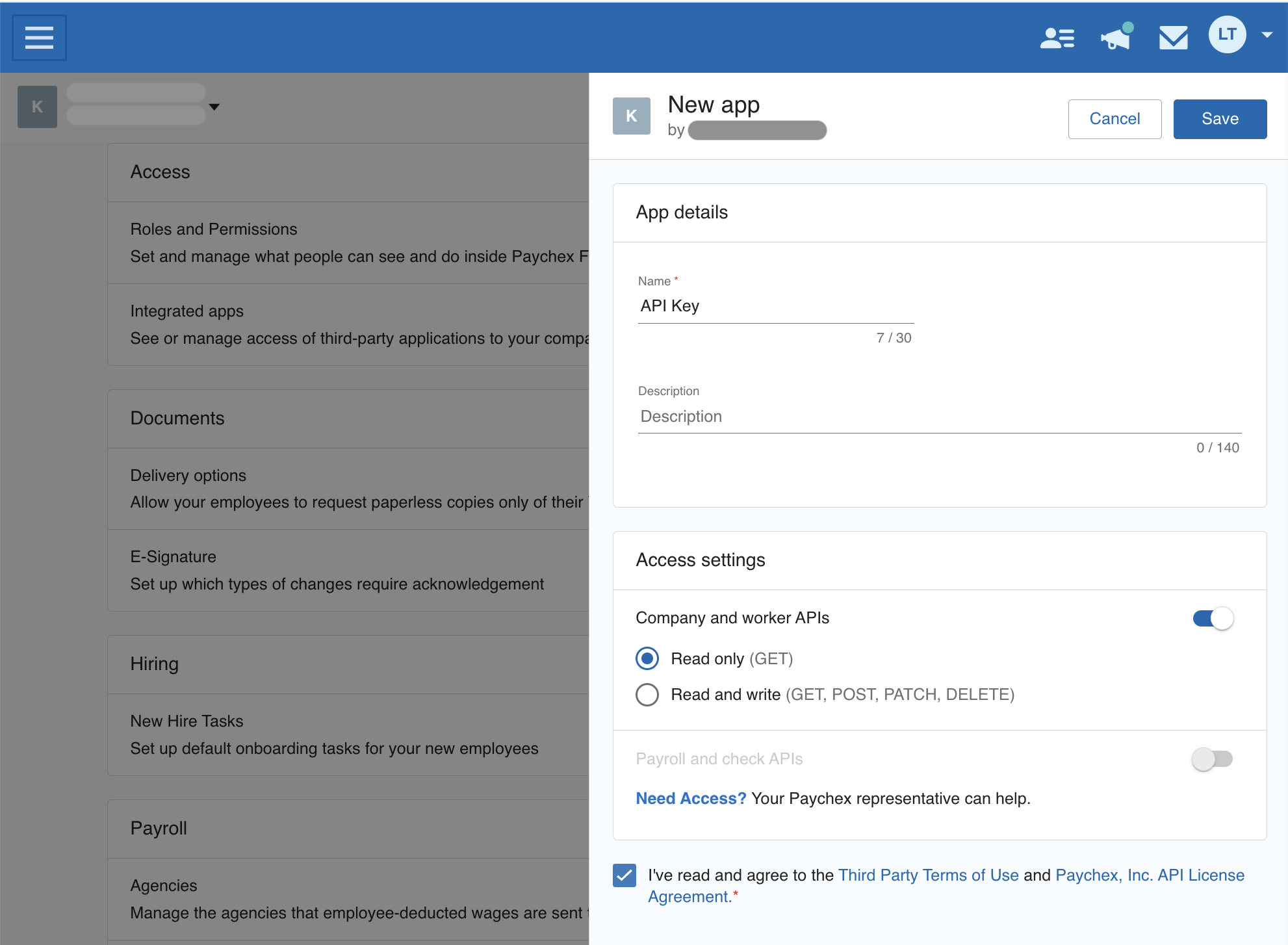
- Click on Integrated Apps > Create App
- Name the application (i.e.: API Key)
- In the Access settings section, toggle Company and worker APIs
- Select Read only (GET)
- Agree to the Terms of Use
- Click Save
Step 2: Connect your Paychex Flex account
- Navigate back to the Finch Connect modal
- Paste the API key into the Client ID field
- Paste the API secret into the Client Secret field