Paychex Flex - Required Permissions
Last updated: July 23, 2025
Before you start
To connect your Paychex Flex account to this application you must be assigned the Super Admin role. Please follow the instructions below to confirm your permissions.
1. Log into Paychex Flex
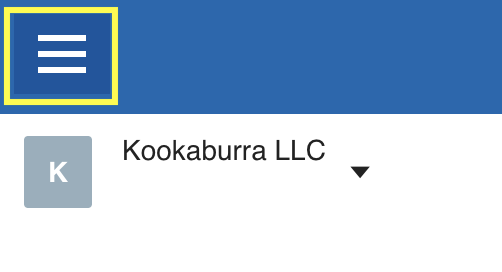
2. Open the Menu at the top left.
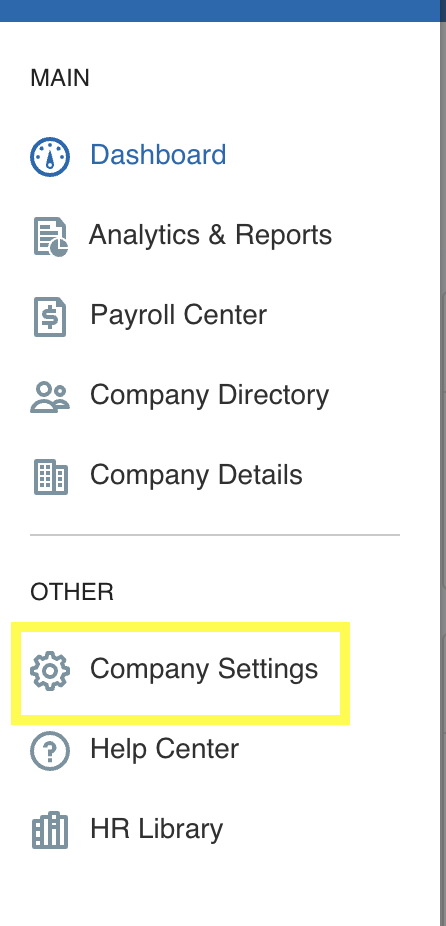
3. Navigate to Company Settings in the lefthand side menu
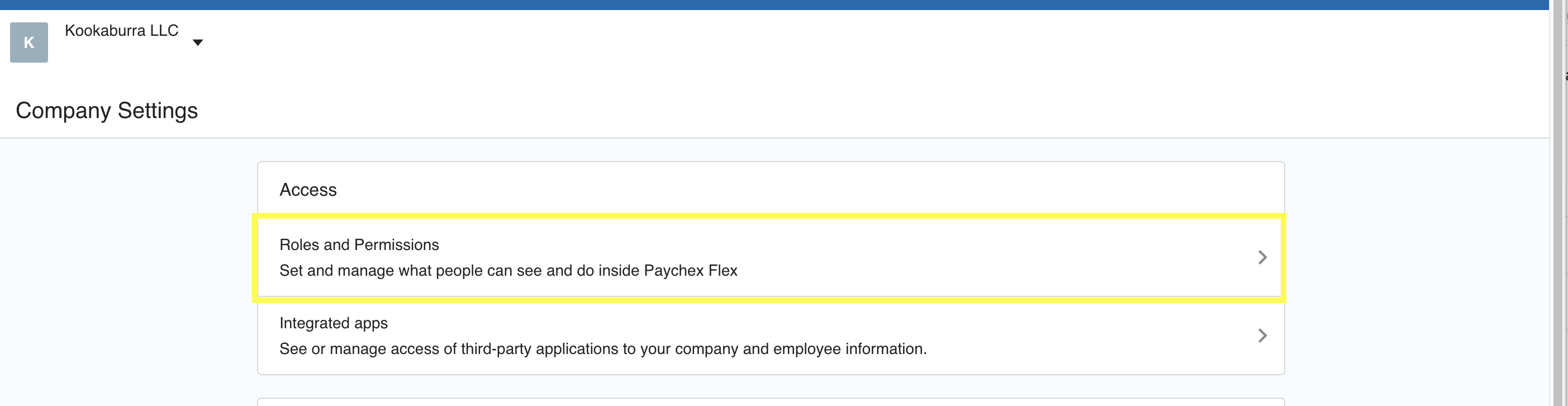
4. Select Roles and Permissions
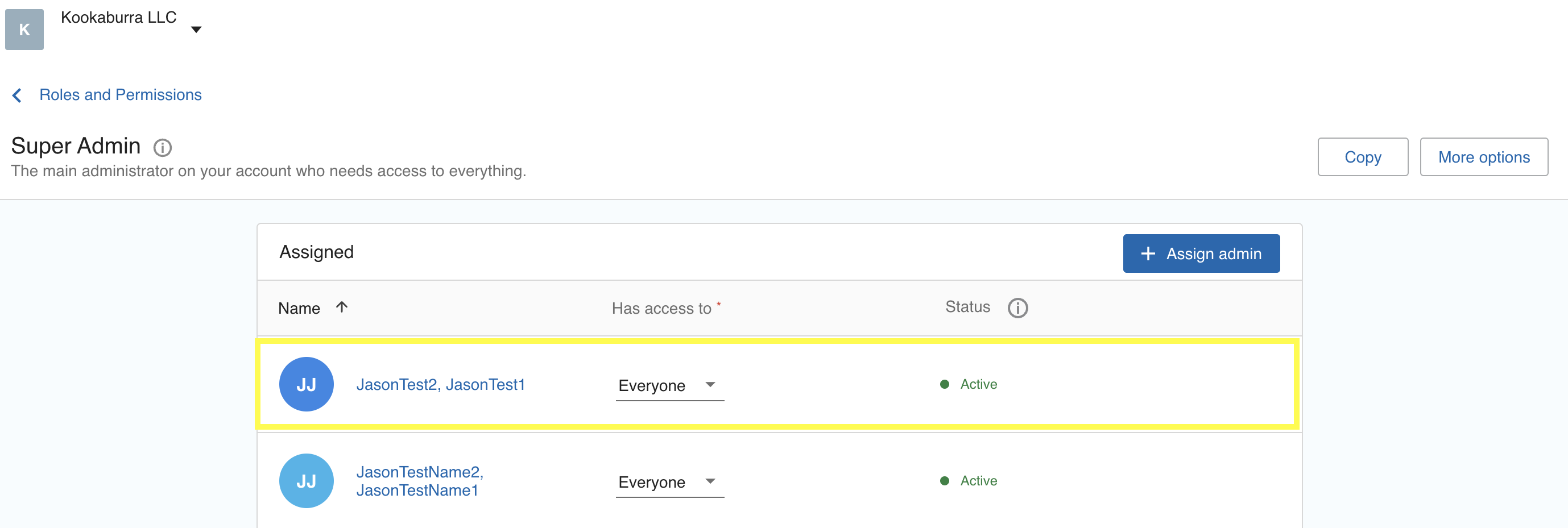
5. Select the Super Admin Group
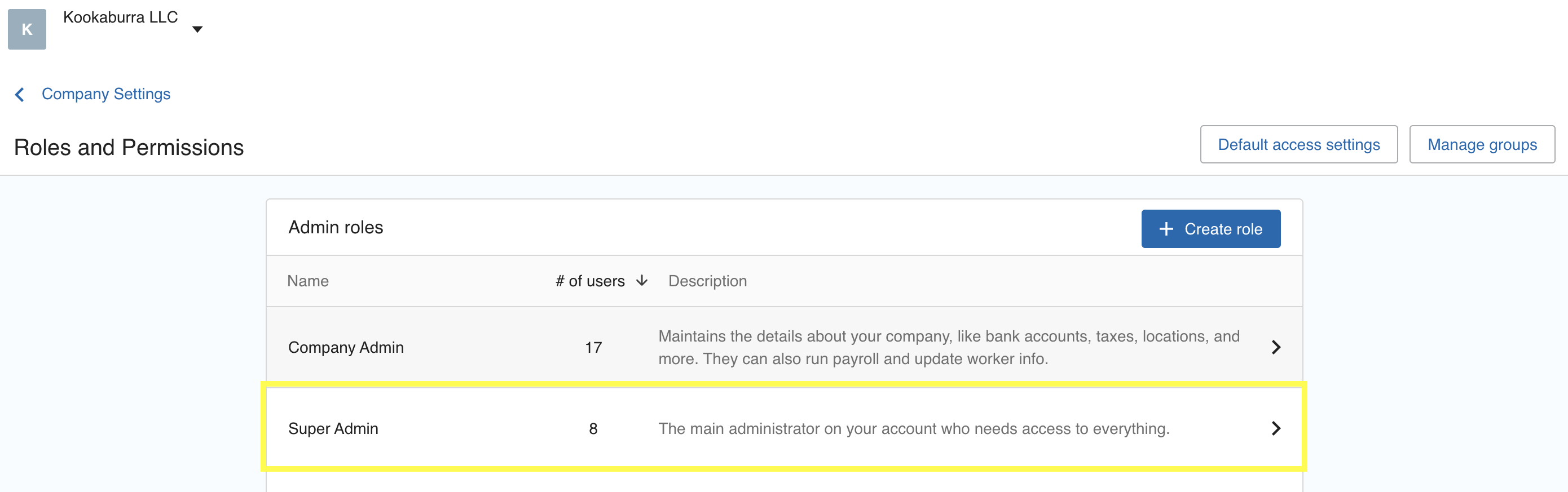
6. Ensure your user is listed under Super Admin
Instructions
1. Ensure you have followed the instructions below in order to assign the Super Admin role to your user in Paychex.
2. Navigate to Finch Connect and select Paychex Flex as your provider.
3. Enter your Username and Password for the user assigned as a Super Admin.
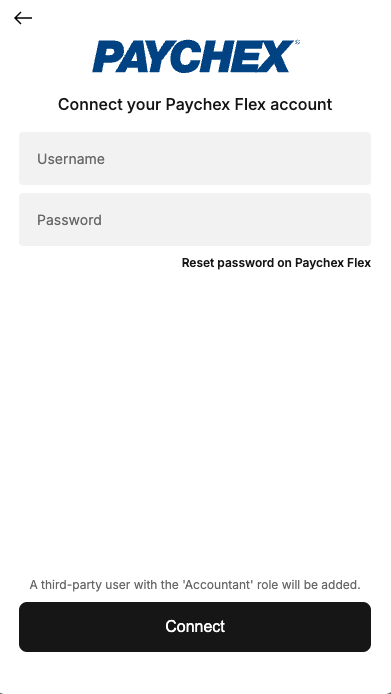
3. Click Connect and follow any additional prompts in Finch Connect.
If your team uses this application to update deductions and contributions
If you need access to Benefits data, follow the instructions below as well as the instructions listed HERE to add an administrator to support the benefits scope. You'll also be prompted to complete this step in Finch Connect.