Namely - Request API keys
Last updated: August 12, 2025
Before you start
To connect your Namely account, you must create an API token. Please ensure you are a Namely administrator with the ability to access the API menu.
Instructions
Step 1: Create an API token
Log into Namely
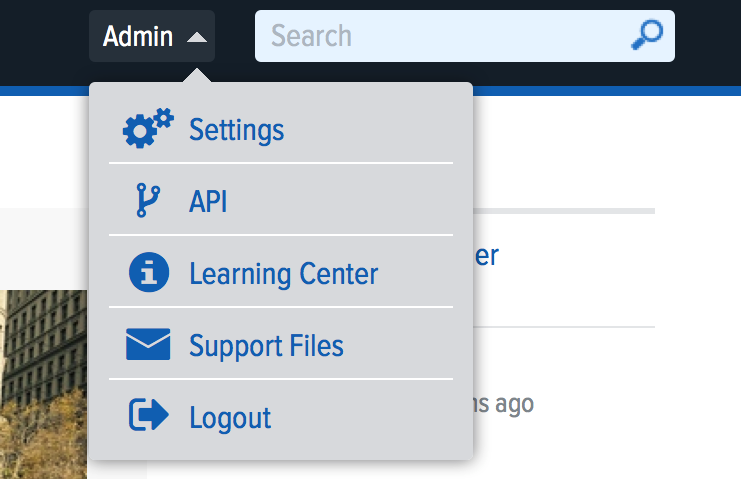
Select the username in the upper right-hand corner
Click on API in the dropdown menu
Click on the Personal Access Tokens tab
Enter a name for the access token and click Create
Copy the token
Step 2: Connect your Namely account
Navigate back to the Finch Connect modal
Paste the API token into the API token field
Input your Namely subdomain
This can be found in the URL of your Namely account, .namely.com