Sapling - Request API keys
Last updated: July 23, 2025
Before you start
Ensure you have access to a Sapling account that allows access to API Settings. More details on Sapling API Access can be found HERE.
Instructions
1. Log in to Sapling and select API Settings along the left side of the home screen.
2. Under API Settings select Keys and click on Generate Key.
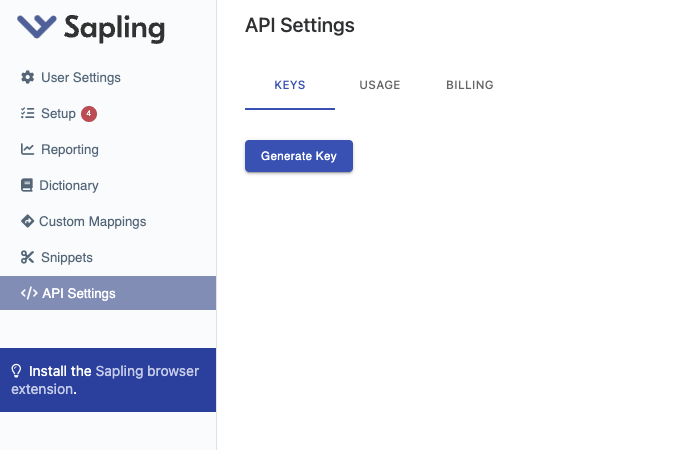
3. Name and save your API Key.
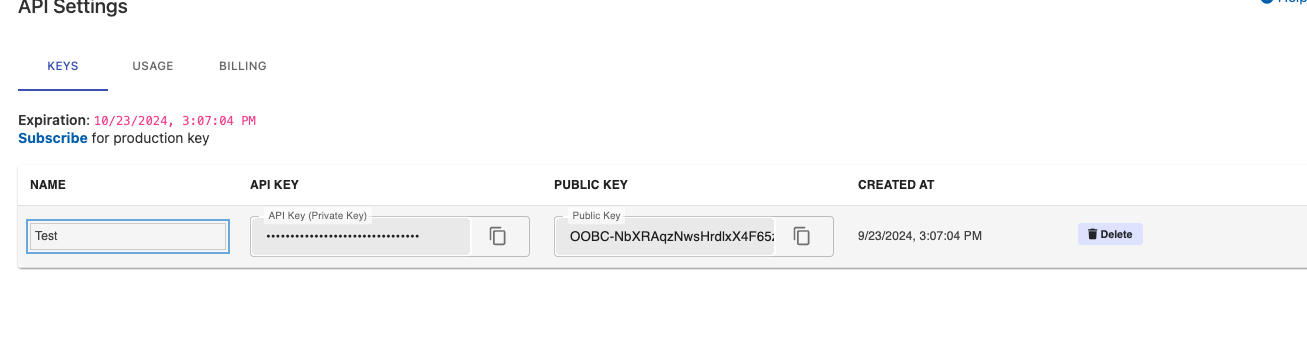
4. Navigate back to the Finch Connect modal. Copy and paste the API key into the Finch connection screen, along with your Sapling Subdomain from https://.sapling.io
5. Check 'I've read and completed the instructions' and click Connect.
FAQs
💡 Where can I find more information on API Keys for Sapling?