Paycom - Enabling Sync and Clone
Last updated: April 21, 2026
What is Sync and Clone?
Sync & Clone is a Paycom feature that allows an administrator user's access to be replicated across all the companies (client codes) in your Paycom account. If your account manages multiple companies, Sync & Clone ensures that administrator has access to payroll data for every client code — not just the master client code.
Do I need Sync & Clone?
It depends on how many companies (client codes) you manage in Paycom.
Overview
Step 1: Confirm how many client codes you are managing
If you manage one client code, no further action needed
If you manage more than one client code, proceed to step 2
Step 2: Confirm if you already have Sync & Clone enabled
If you do have sync and clone enabled, no further action needed
If you do not have sync and clone enabled, proceed to Step 3
Step 3: Reach out to your Paycom rep to request this functionality
Detailed Instructions
Step 1: Confirm how many client codes you are managing
If you don't know whether you are managing multiple client codes, you can follow the steps below to confirm:
Log into your Paycom account.
Navigate to Reports →Advanced Report Writer
Click Create New Report → Payroll
Click on Step
5. Review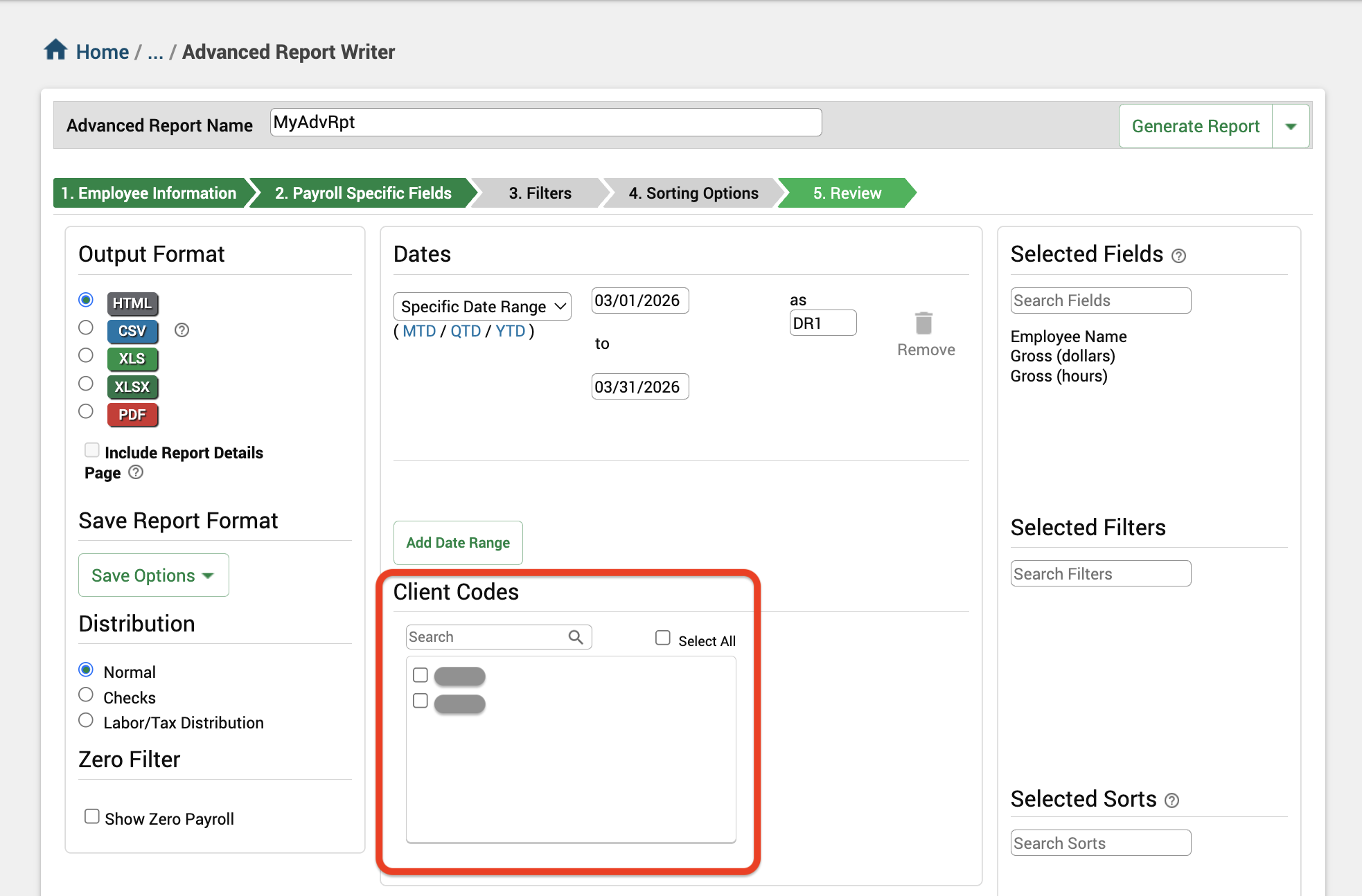
If you are managing multiple client codes, you will see them listed in the section outlined in red
If you are not managing multiple client codes, you will not see any client codes listed in this view
Step 2: Confirm if you already have Sync & Clone enabled
Navigate to User Options → User Access and Security → Manage User Access.
Click Add New User.
Scroll to the bottom of the page.
If you see a "Sync and Clone Settings" section, Sync & Clone is enabled for your account. You're all set.
If you do not see "Sync and Clone Settings," it is not currently enabled. See Step 3.
Step 3: Reach out to your Paycom rep to request this functionality
If you have not yet created an admin user in your Paycom account:
Reach out to your Paycom rep using the following template. You can also attach the screenshot below in your email.
Hello [Name]
I'd like to request that Sync & Clone be enabled for my user account. We manage multiple client codes and need the ability to ensure that new administrator users have access to run reports across every client code in our account.
Please let me know if you need any additional information to get this set up.
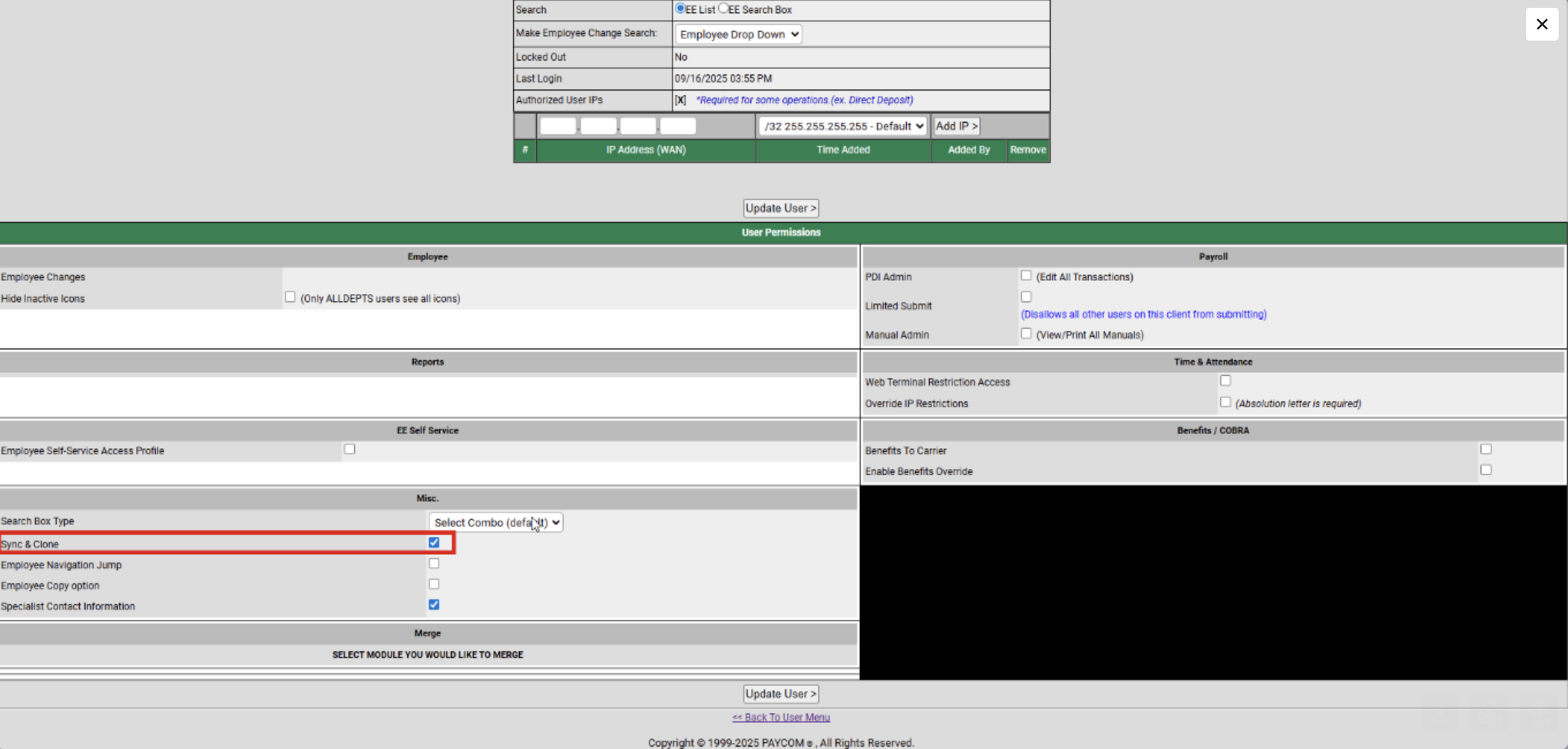
If you have already created an admin user in your Paycom account:
Reach out to your Paycom rep using the following template.
Hello [Name]
I am in the process of adding a new user to our Paycom system. I created a new user, [INSERT USERNAME], but they do not currently have access to create and run reports across all client codes in our account.
Could you please update this user's permissions to ensure they have the ability to generate reports for all client codes in our account?
Please let me know if you need any additional information to get this set up.