Sesame HR - Request API keys
Last updated: July 23, 2025
Obtain API Token and Server Domain for Integrations
- Login to Sesame HR portal.
- Click on the Configuration on the vertical toolbar on the left of the screen. This is the gear icon towards the bottom
- Navigate to the Integrations tab.
- Click on the Create API Token.
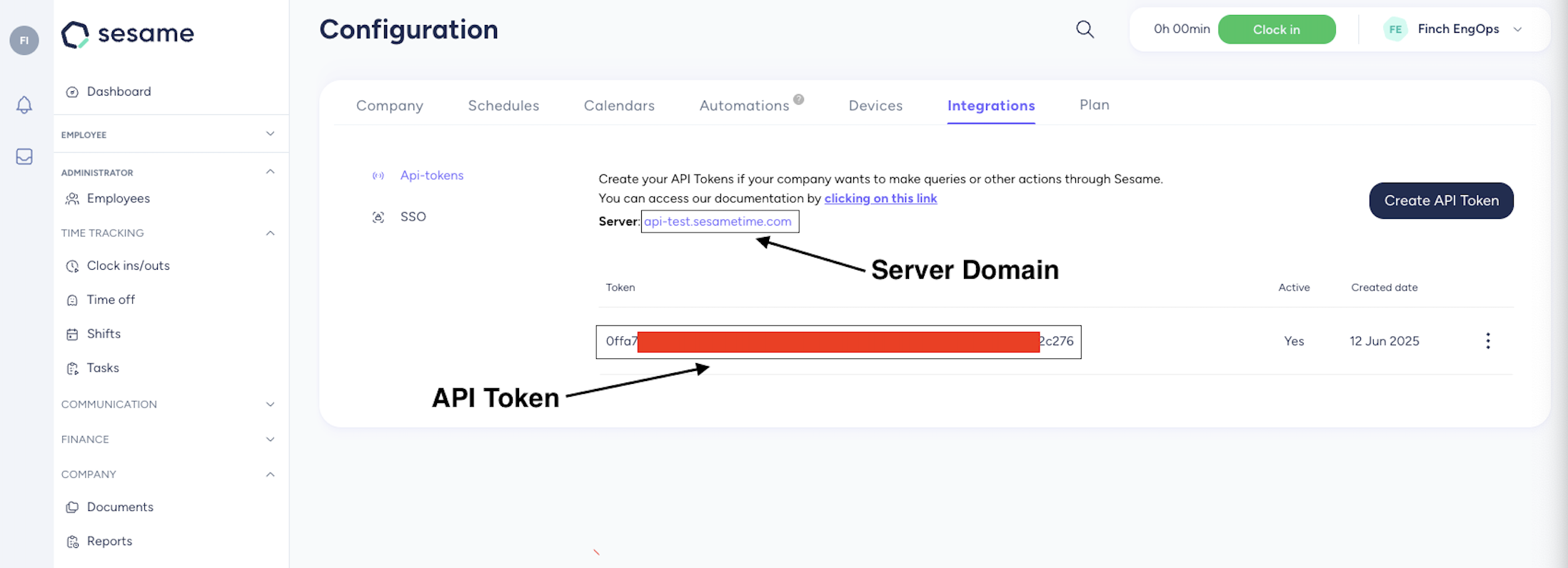
- After the API Token gets generated you should also see a Server domain name (screenshot below).
- Copy the generated API Token and Server domain and paste it into the Finch connection screen.