OnPay - Add an Approver
Last updated: March 31, 2026
To connect your OnPay account to this application you must set up a new Approver user. Please follow the instructions below.
Instructions
Login to your OnPay account
If you are managing multiple companies under a single account, click Enter on the company you wish to connect
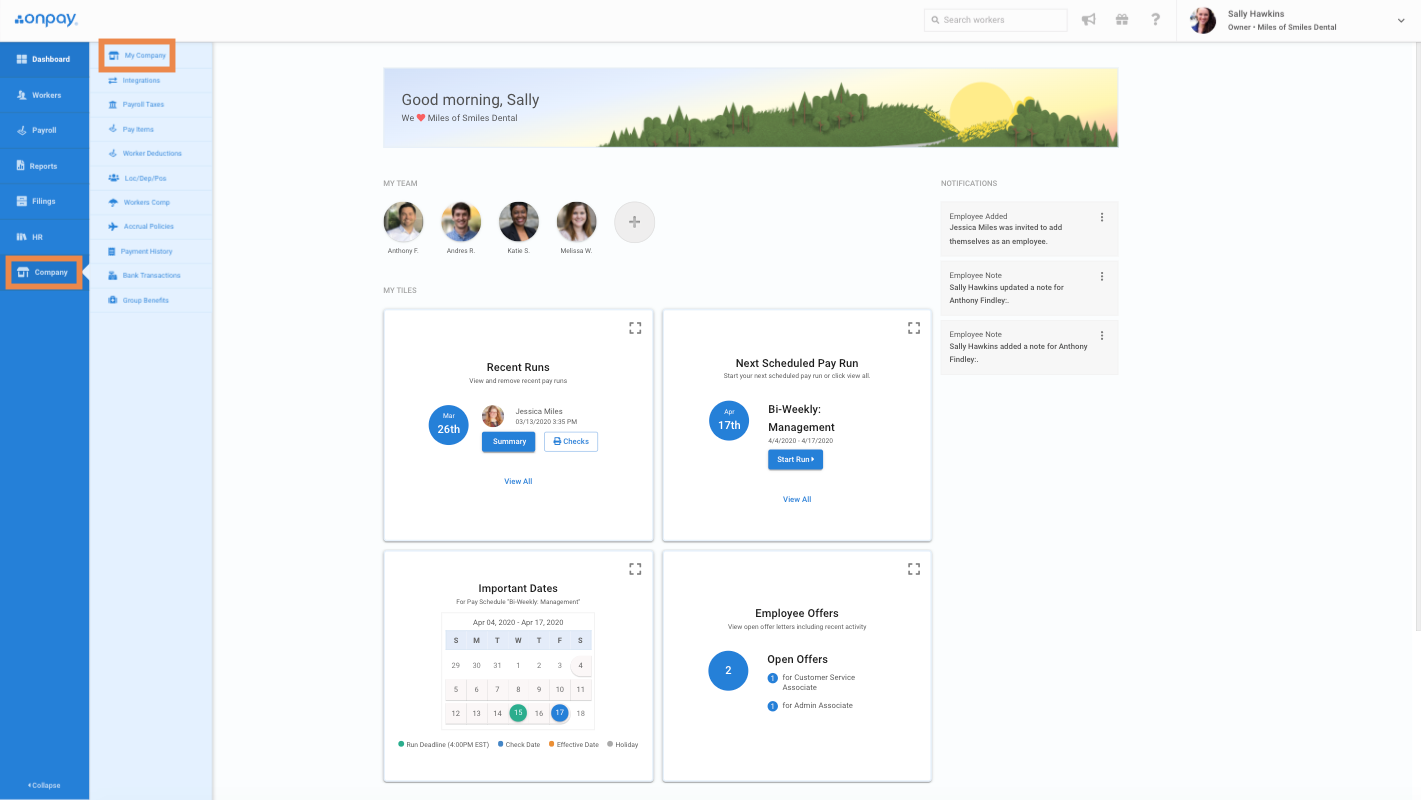
From the main dashboard, navigate to Company > My Company in the menu to the left
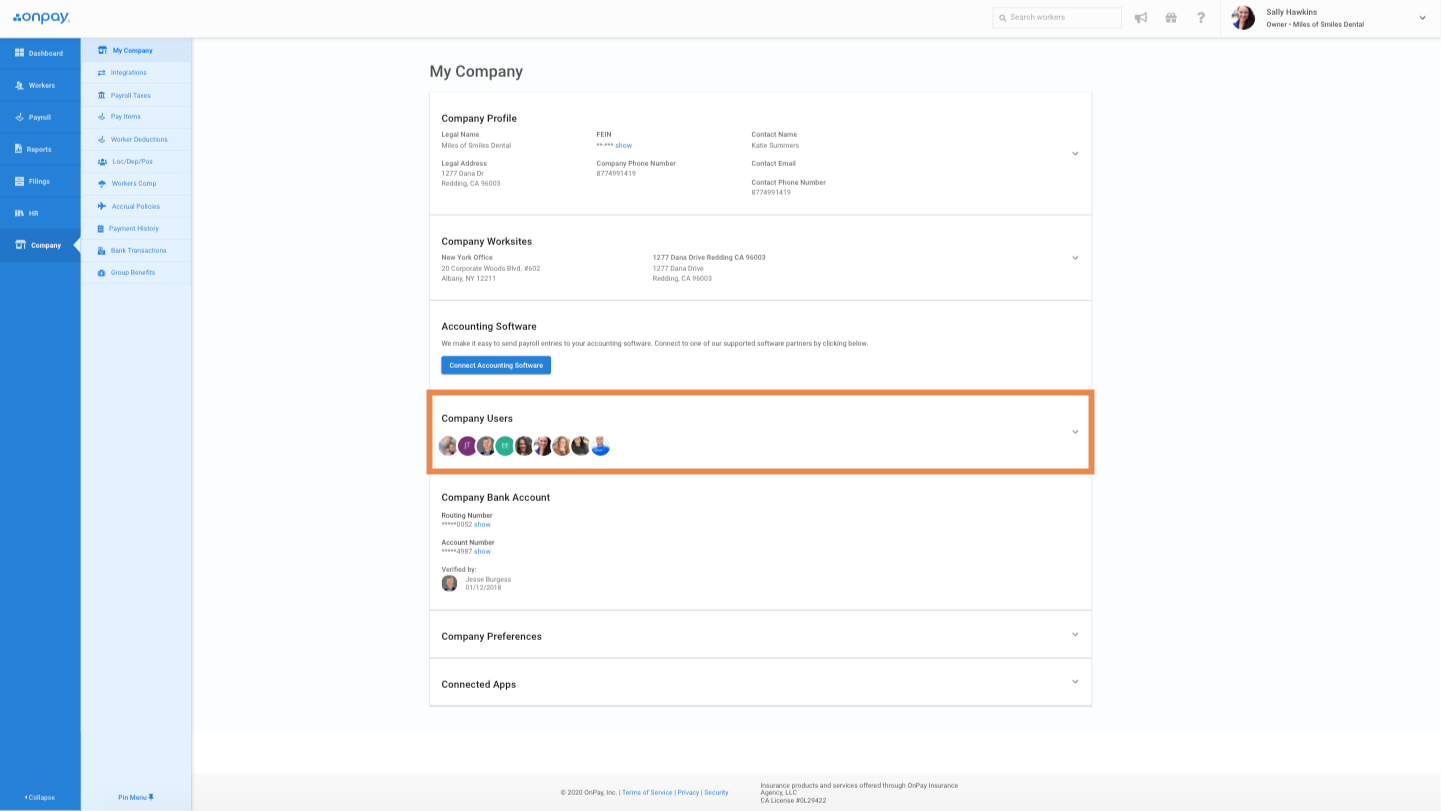
Go to the Company Users section.
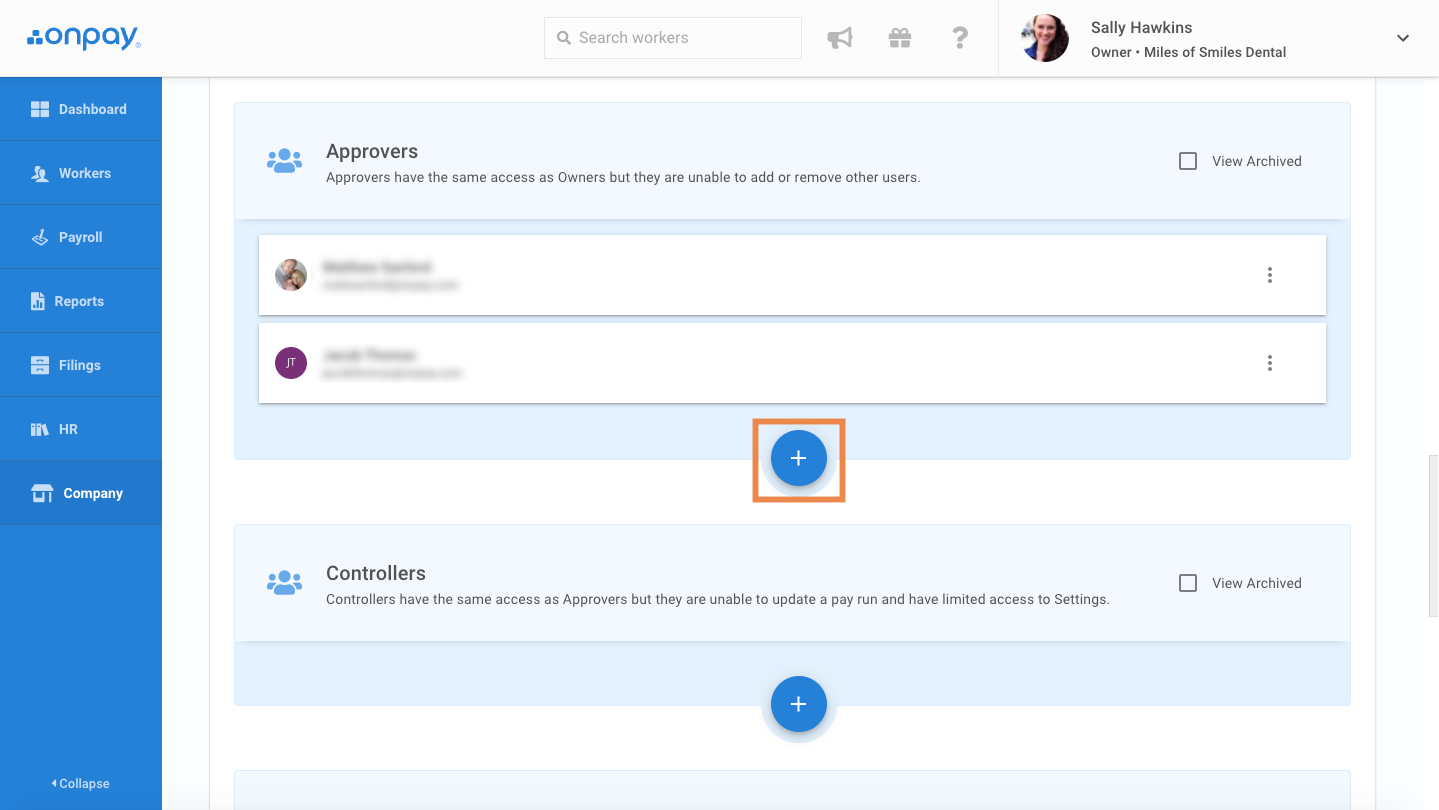
Click the blue '+' button under Approvers.
Under the first name, last name, and email address fields, please enter the information provided in Finch Connect. The image below is just an example. You will also need to enter your OnPay account password to verify you have permission to grant access to new users.
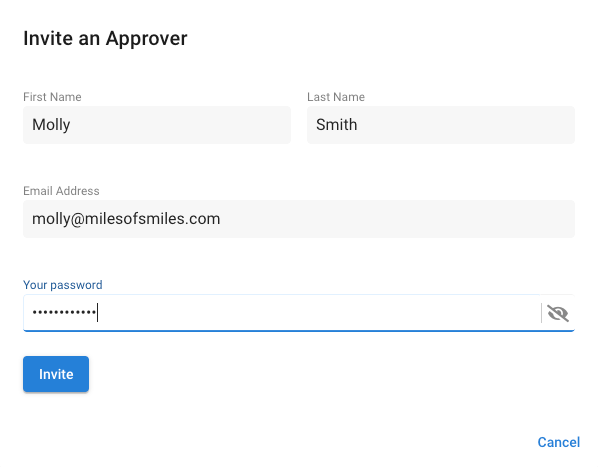
Click Invite.