BambooHR - Add a Full Admin
Last updated: November 13, 2025
To connect your BambooHR account to this application you must set up a new Full Admin user. Please follow the instructions below.
Instructions
Click on the Settings icon at the top right

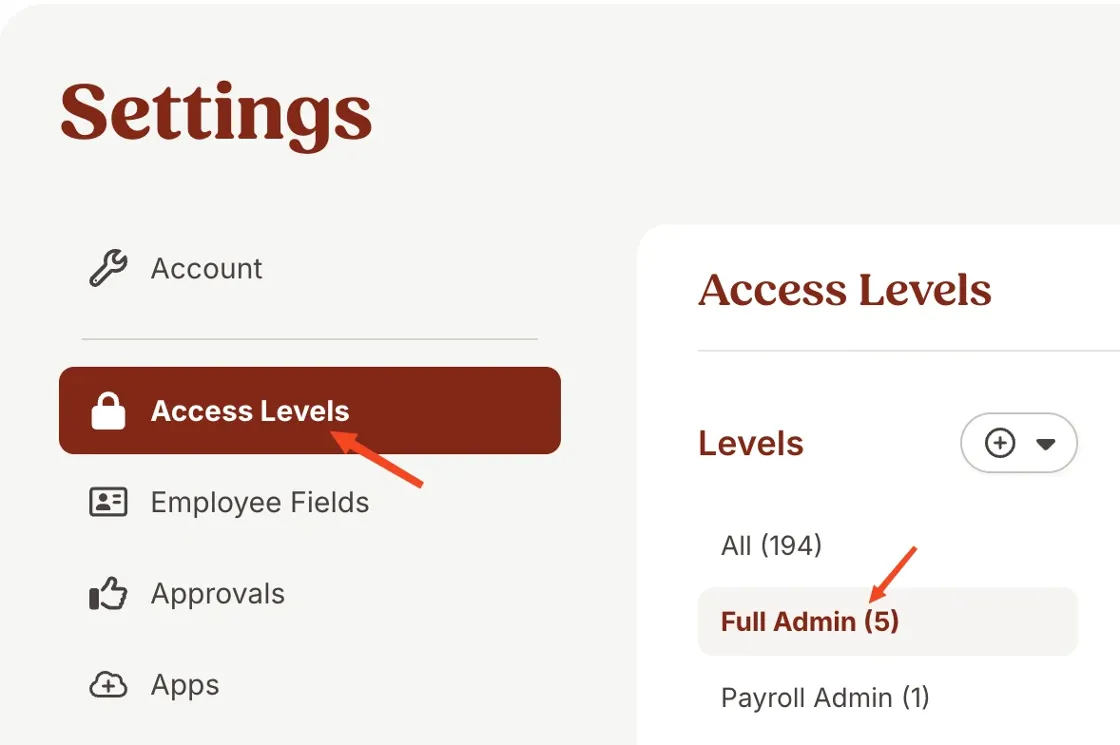
Click on Access Levels and then Full Admin
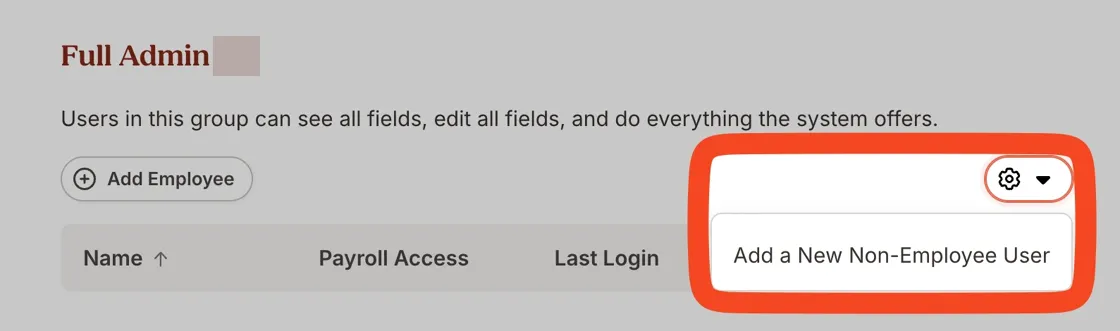
Click on the Gear icon and select Add a Non-Employee BambooHR User.
Fill in the following information:
First name - Enter the name provided in Finch Connect
Last name - Support
Email - Enter the email provided in Finch Connect
Access Level - Make sure it is Full Admin Access
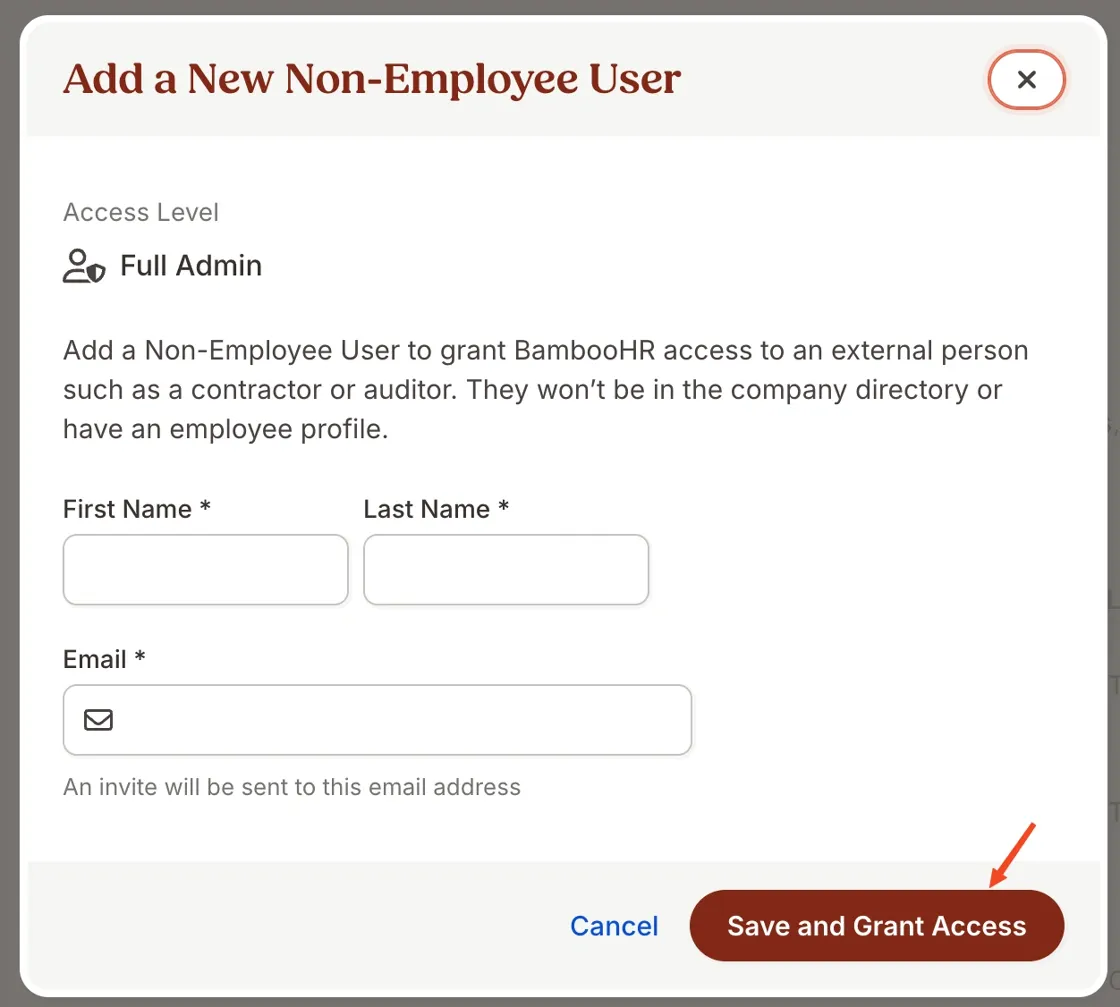
Then Click Save