Justworks - Required Permissions
Last updated: July 23, 2025
To connect your Justworks account to this application you must be assigned a specific set of permissions. Please follow the instructions below to confirm your permissions.
Instructions
1. Log into Justworks
2. Navigate to Company > Permissions
- Note: If you do not see this option or cannot view the page, you are not an Admin and will not have the permissions needed to set up this integration. Please find a user in your organization with the right permissions.
3. You will see a screen that lists Administrator permissions
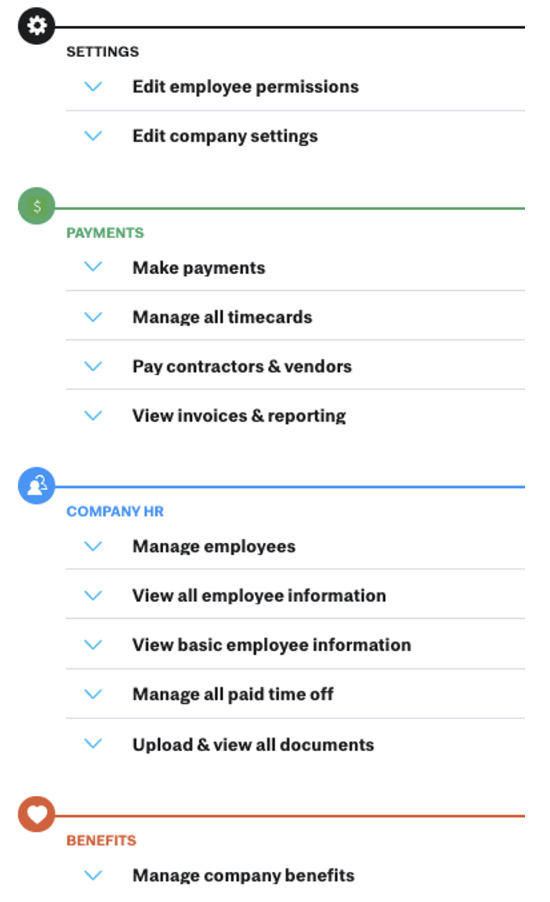
4. Toggle open the following to ensure you are assigned the permissions:
- Settings: Edit employee permissions, Edit company settings
- Payments: View invoices & reporting
- Company HR: Manage employees, Upload & view all documents
- Benefits: Manage company benefits