Xero (International) - Add an administrator
Last updated: July 23, 2025
To connect your Xero account to this application you must set up a new admin user. Please follow the instructions below.
Instructions
To add an administrator in Xero:
1. Login to your Xero account.
2. Select Settings, then click Users.
3. Click Invite a user.
4. Please enter the following information using the information provided in Finch Connect for First Name and Email Address:
- First Name:
- Last Name: Support
- Email Address:
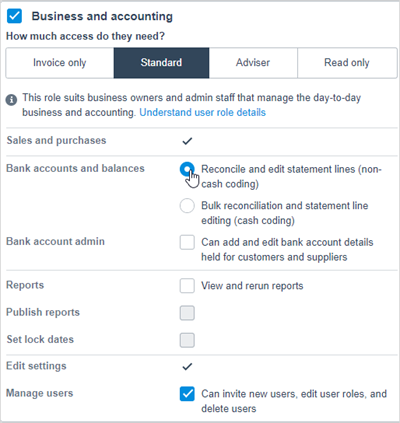
- Enable access to Business and Accounting as an Adviser
- Check the box next to Bank account admin
5. Click Send Invite.
FAQs
💡 Why do I need to provide admin permissions to Finch?
💡 How do I give users the bank account admin permission?