PayFit - Add an administrator
Last updated: July 23, 2025
To connect your PayFit account to this application you must set up a new admin user. Please follow the instructions below.
Before you start
Please note only Admins can complete this process. If you are not an Admin, please ask someone in your organization who is to complete the instructions below.
Instructions
1. Select My Company.

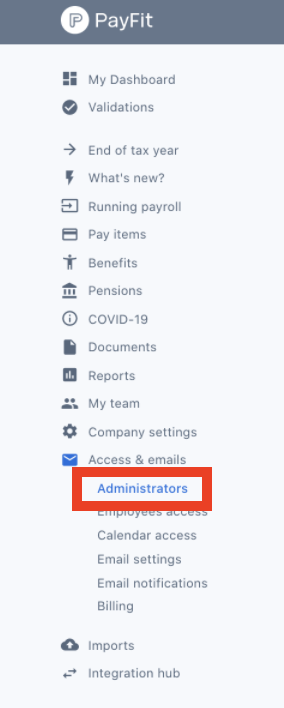
2. Navigate on the left panel to Access & emails > Administrators.
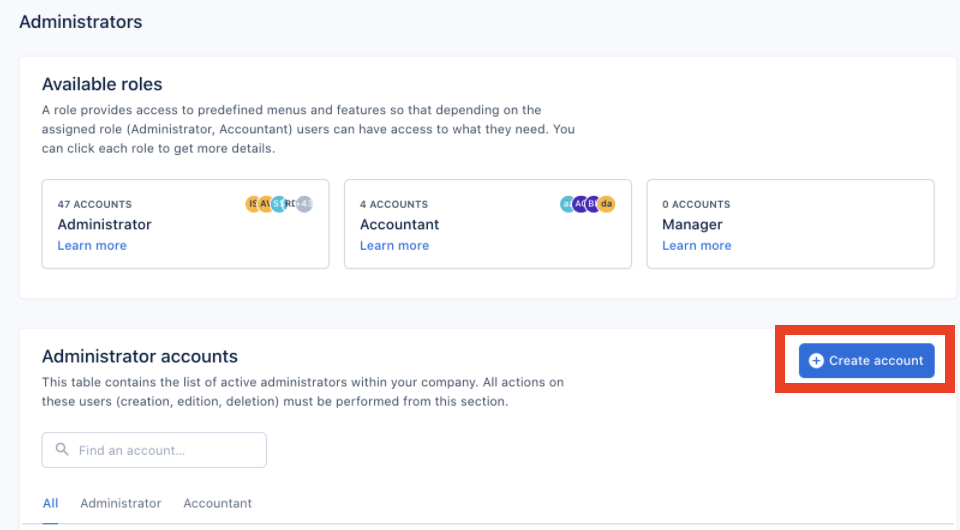
3. Click on Create account.
4. Use the information provided in Finch Connect to fill out the form:
- Email:
- Forename:
- Surname:
- Role: Administrator
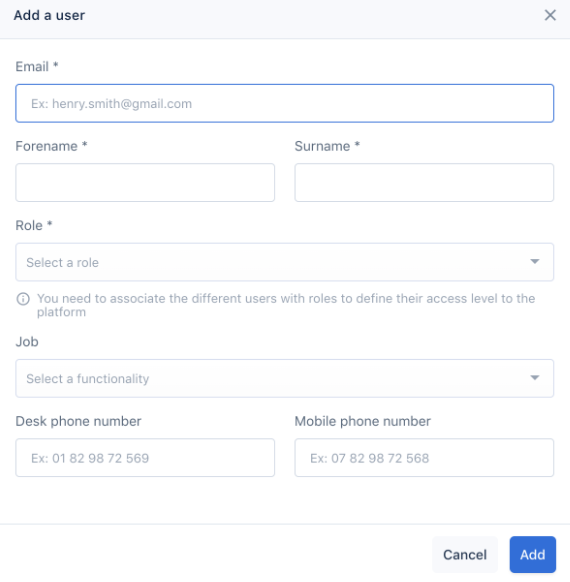
5. Then click Add.