APS Payroll - Add an administrator
Last updated: July 23, 2025
To connect your APS Payroll account to this application you must add a new admin user. Please follow the instructions below.
Instructions
1. Login to your APS Payroll account
2. Go to Admin and click on Users
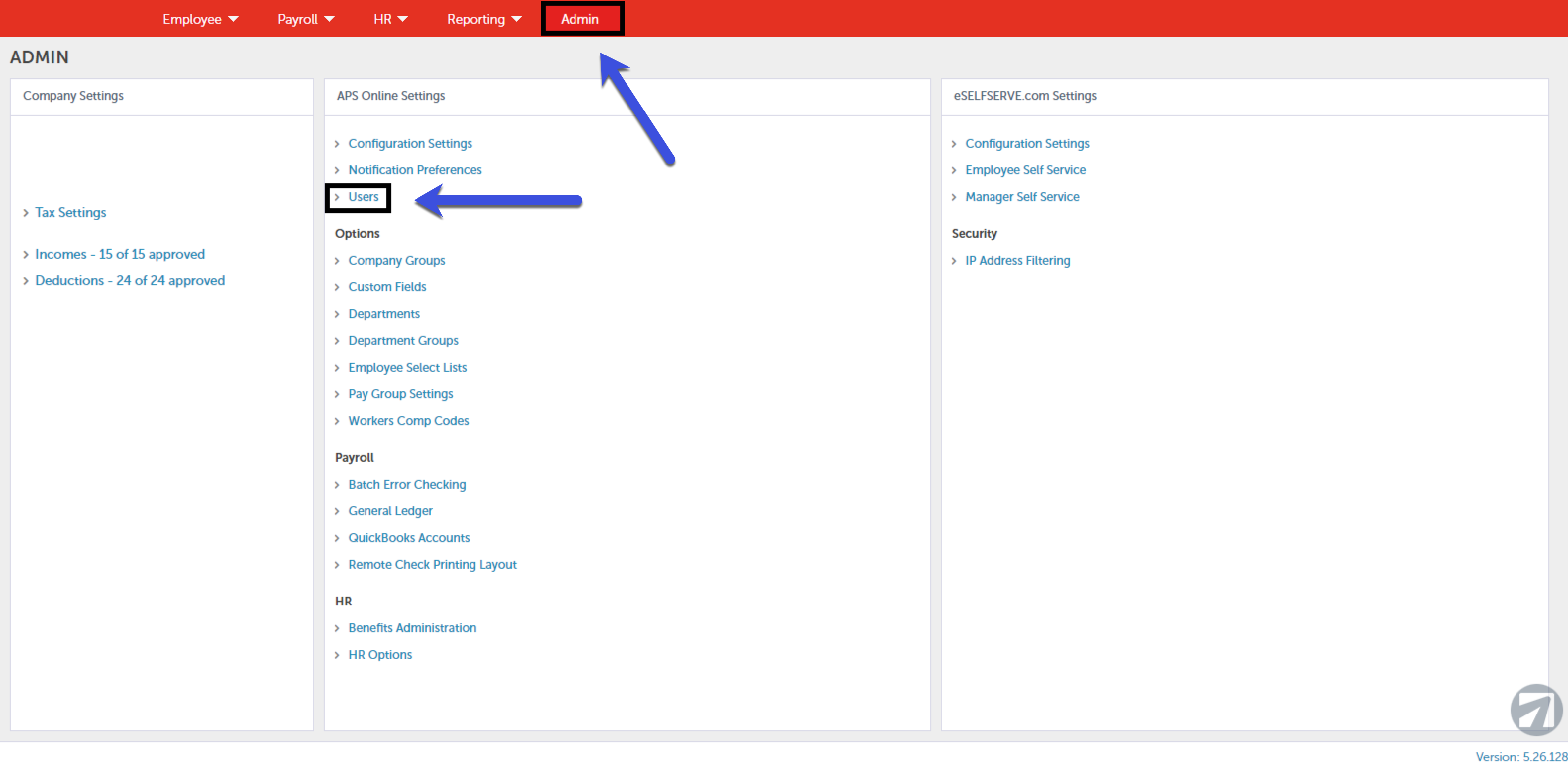
3. Click + Add User in the top left-hand corner.
4. Please use the information provided in Finch Connect to fill in the following information:
- Type: Payroll Admin
- First:
- Last: Support
- Title: Support
- Office Phone: 917-717-3974
- User Name:
- Email:
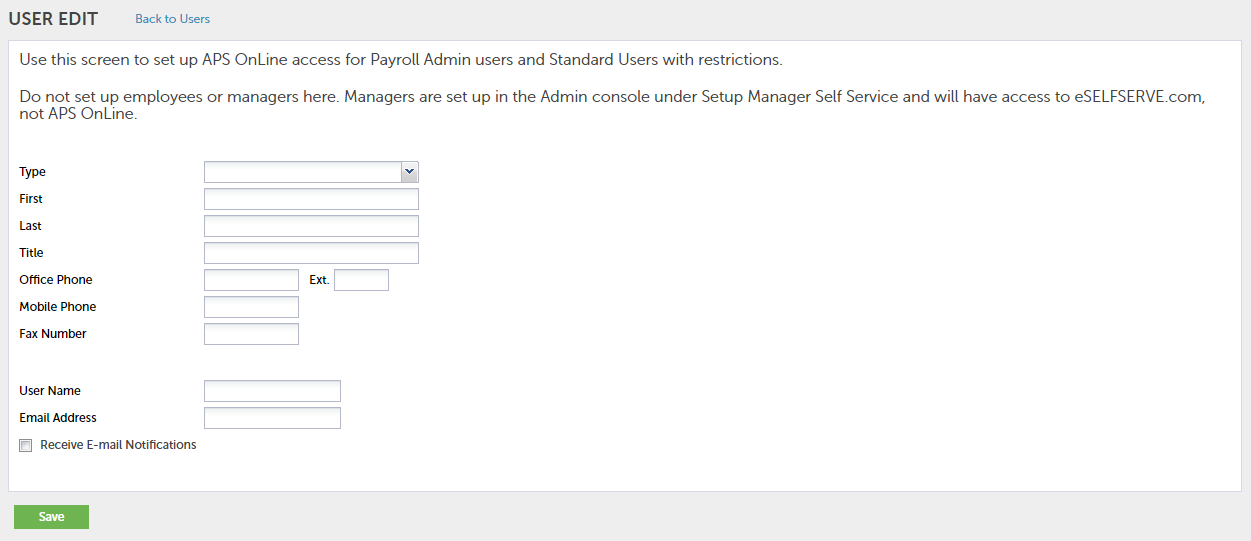
5. Click Save.
6. Click Set Permissions.
7. Click Save.