

Adams Keegan - Add an administrator
To connect your Adams Keegan account to this application you must set up a new admin user. Please follow the instructions below.
Please note adding an Adams Keegan admin may still require the involvement of a payroll representative - the steps below may assist them in this process.
Instructions
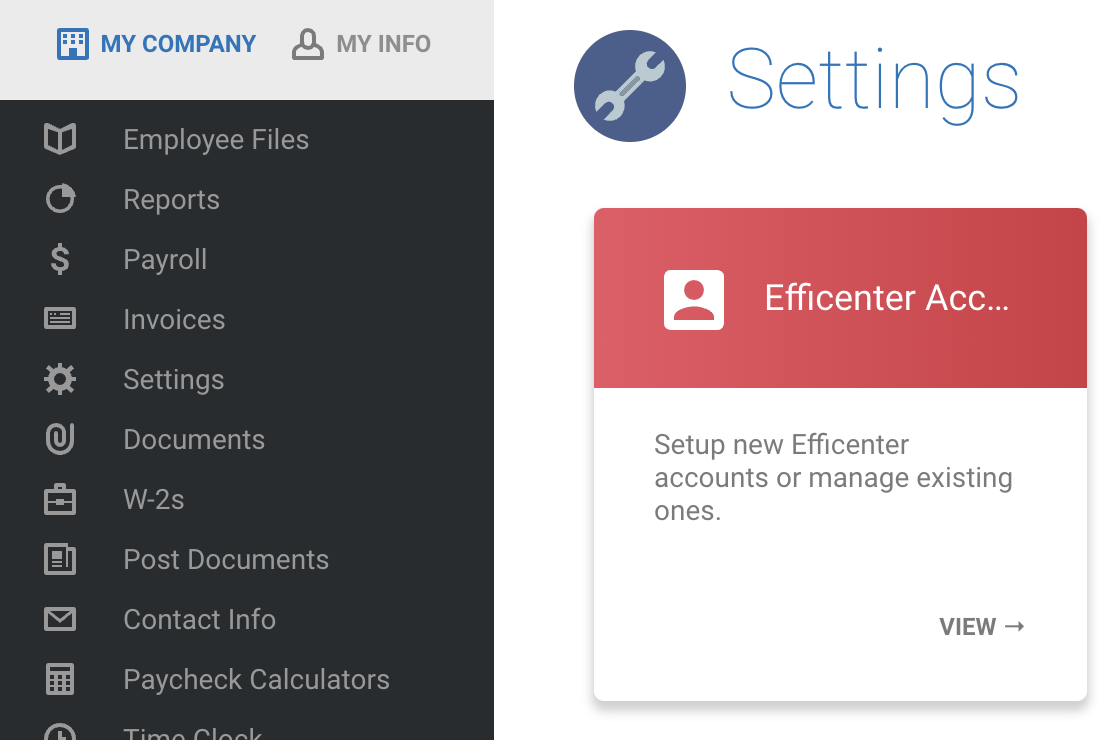
1. On home screen, under ‘MY COMPANY’ tab on the left hand side, click on Settings. Once in settings menu, click on Efficenter Accounts (first block)
2. Click on Add New Account > Non-Employee Account
Last name: Support
First name: Please use the name provided in Finch Connect
Pay rate: 0
Email address: Please use the email provided in Finch Connect
3. Once setup completed, locate account within the Efficenter Account page, click on the user.
4. Once on Account page for this account, click Additional Privileges
Toggle Yes for Client Admin Settings
Toggle Yes for Group Admin Settings